How to Host Live Meetings In Your Online Course
8 minute readOnline courses are a powerful way to share your knowledge and help people build new skills on their own schedule.
But pre-recorded lessons alone can sometimes feel isolating and lack engagement, which may cause students to drop out before completing the course.
The good news is that there are many ways to make your online course super engaging for students, so that they keep coming back to your platform over and over, even after they have completed all of the content.
Alongside tools like community, projects, and gamification, live streaming is a great way to engage your customers and provide additional value.
Live streaming inside an online course is simply this: your students log into the same place they already learn, and you teach or host a call in real time: no separate webinar tool, no extra login.
That matters because the biggest reason live sessions flop isn’t your content. It’s friction. Every extra step (emailing links, switching platforms, creating accounts, troubleshooting audio) chips away at attendance and energy.
When you go live inside your online course platform, you remove most of that friction. Students click once, join, and stay in the branded learning environment you control.
Live sessions fix a simple problem: when students watch course lessons at their own pace, it can feel lonely. Live sessions make learning engaging and personalized. Students can ask questions and get answers right away, and instead of watching alone, everyone learns and moves forward together.
What kind of “live” experiences are we talking about?
There’s a big difference between hosting a small group coaching call with five students and streaming live to hundreds of people at once.
Some creators love the energy of a big audience. Others feel more confident in a focused, interactive setting, where they discuss as a group with other people.
“Going live” does not mean you have to broadcast to the world. It can be as simple as opening a room for a small group of students and teaching them directly.
Both of these options are possible in Heights Platform, the all-in-one course creation software, where you can build and sell your courses, community, and digital products, and go live with group calls and live streams.
In this blog post, you will learn how to go live in your own branded space, how to offer live sessions alongside your courses and digital products, and how to stop paying for separate meeting and webinar software.
How Live Calls Work in Heights Platform
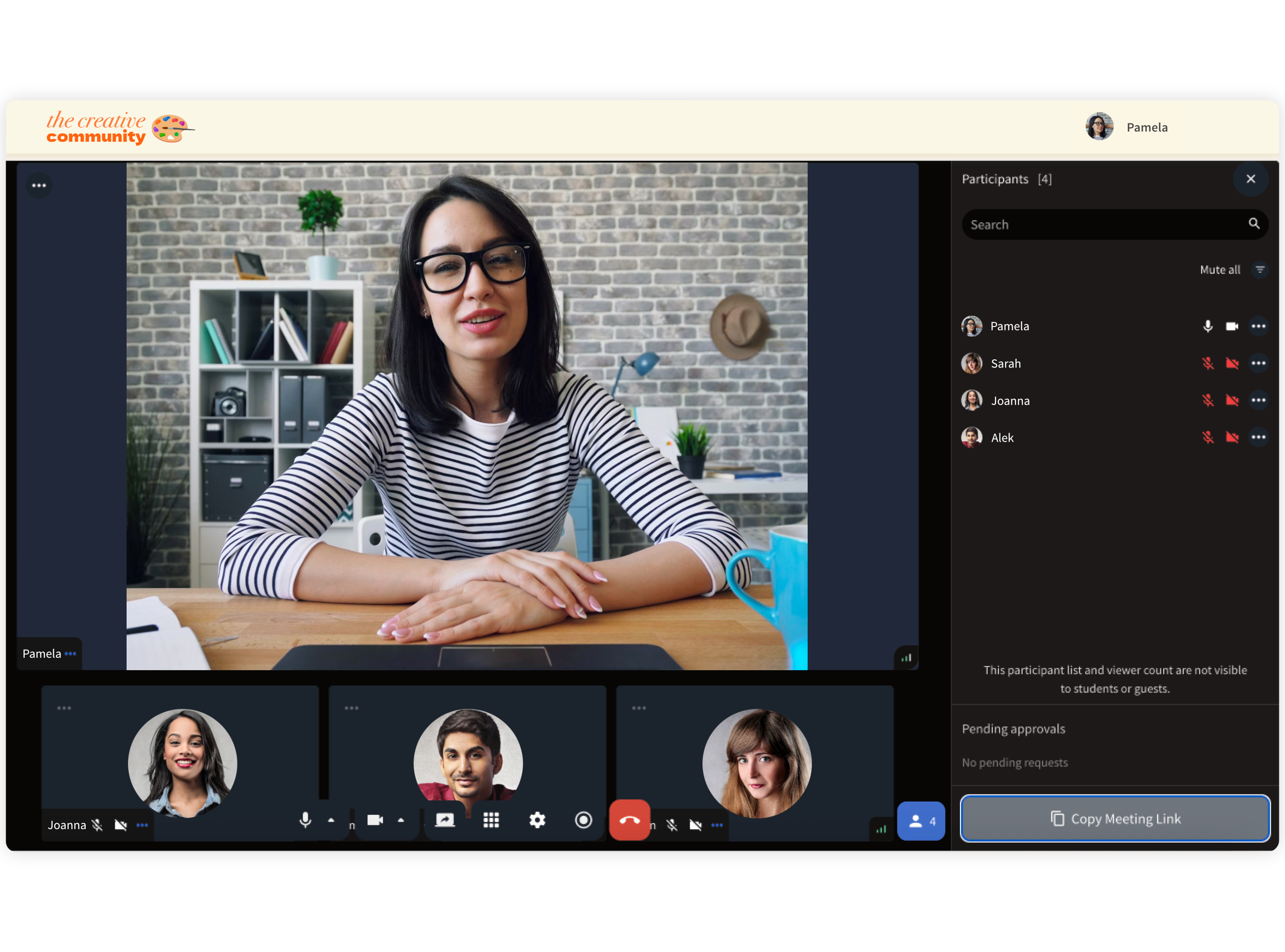
Heights Platform is built to let you run live lessons, group calls, and events directly inside the same place where students purchase your courses and interact in the community.
You can start live sessions from different areas depending on the experience you want to create. You can run live lessons, group calls, and events under your own branded program.
Create Your Online Course TodayGo live from the place where your students already hang out
Heights lets you start live sessions from multiple areas, depending on the experience you want to create: inside your community channels, inside a course lesson (as a live lesson), or inside a digital product (for ticket-style events).
That flexibility is important because it lets you match the session to the job. Want discussion and connection? Start it in the community so the conversation continues before and after the call.
Want structured teaching that becomes part of the curriculum? Run it as a live lesson so the replay lives in the course.
Want to sell access to a one-time event or workshop? Add live streaming to a digital product so access and delivery stay in one place.
Choose the live format: two-way group call or one-way stream
Inside Heights, you can run:
- Open group calls (participants can join with camera and mic), great for coaching and masterminds.
- One-way streaming sessions (you present to the audience), better for webinars, trainings, and clean delivery.
Here are the live formats course creators use most (and what each is best for):
Live Lessons (Teaching Sessions)
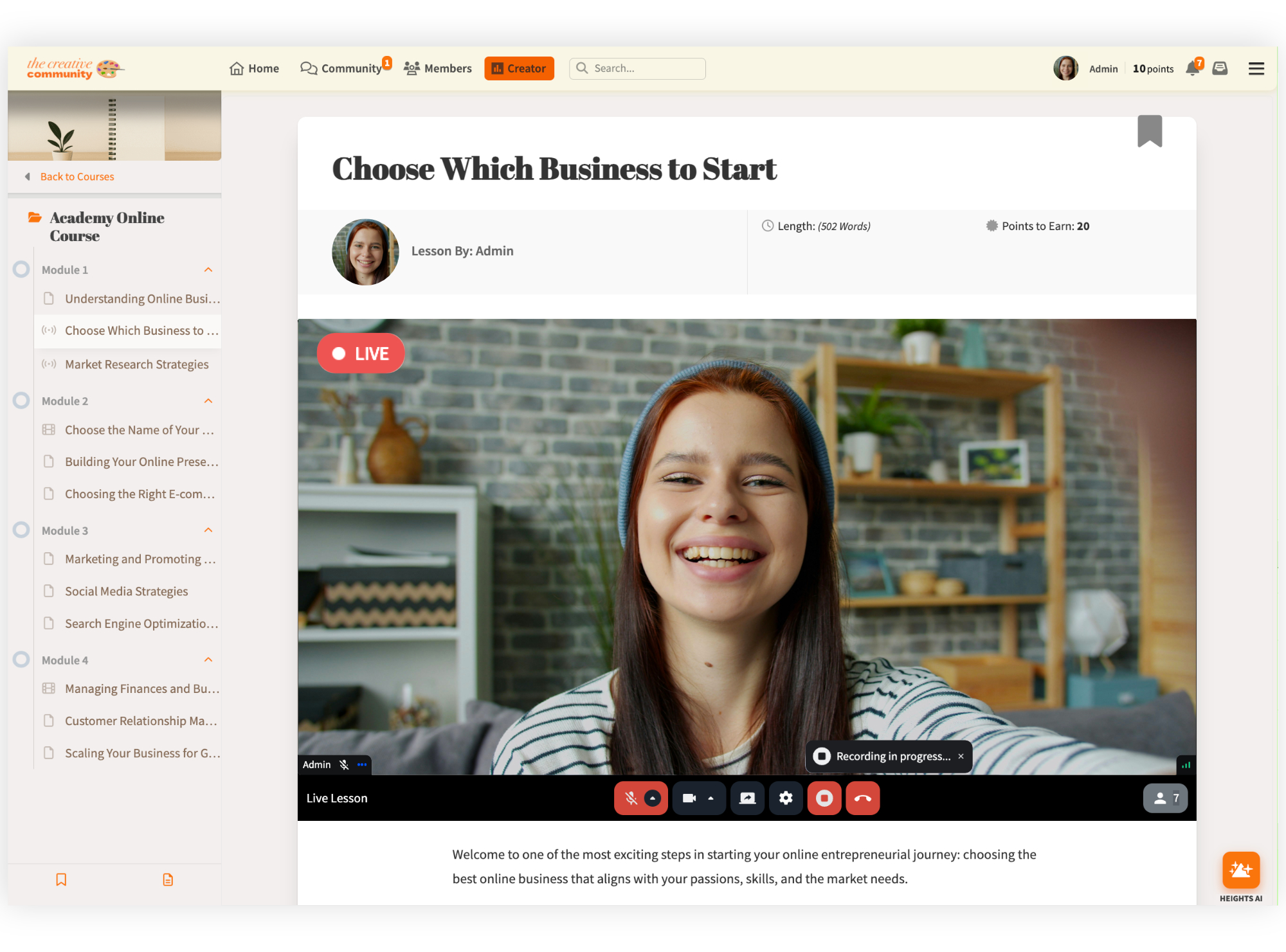
You’re delivering content like a “class,” often with screen share, walkthroughs, and examples. This is the best format when you want students to build something with you in real time, write copy, design a page, set up a funnel, or practice a skill. A strong live lesson has one outcome: by the end, students can point to a finished step.
Meeting Rooms (Group Calls)
Meeting Rooms are flexible spaces designed for live interaction. You can host interactive group calls where participants turn on their camera and mic to join the conversation, which works well for mastermind groups, coaching sessions, and community gatherings.
Live Streaming (Webinars / live events)
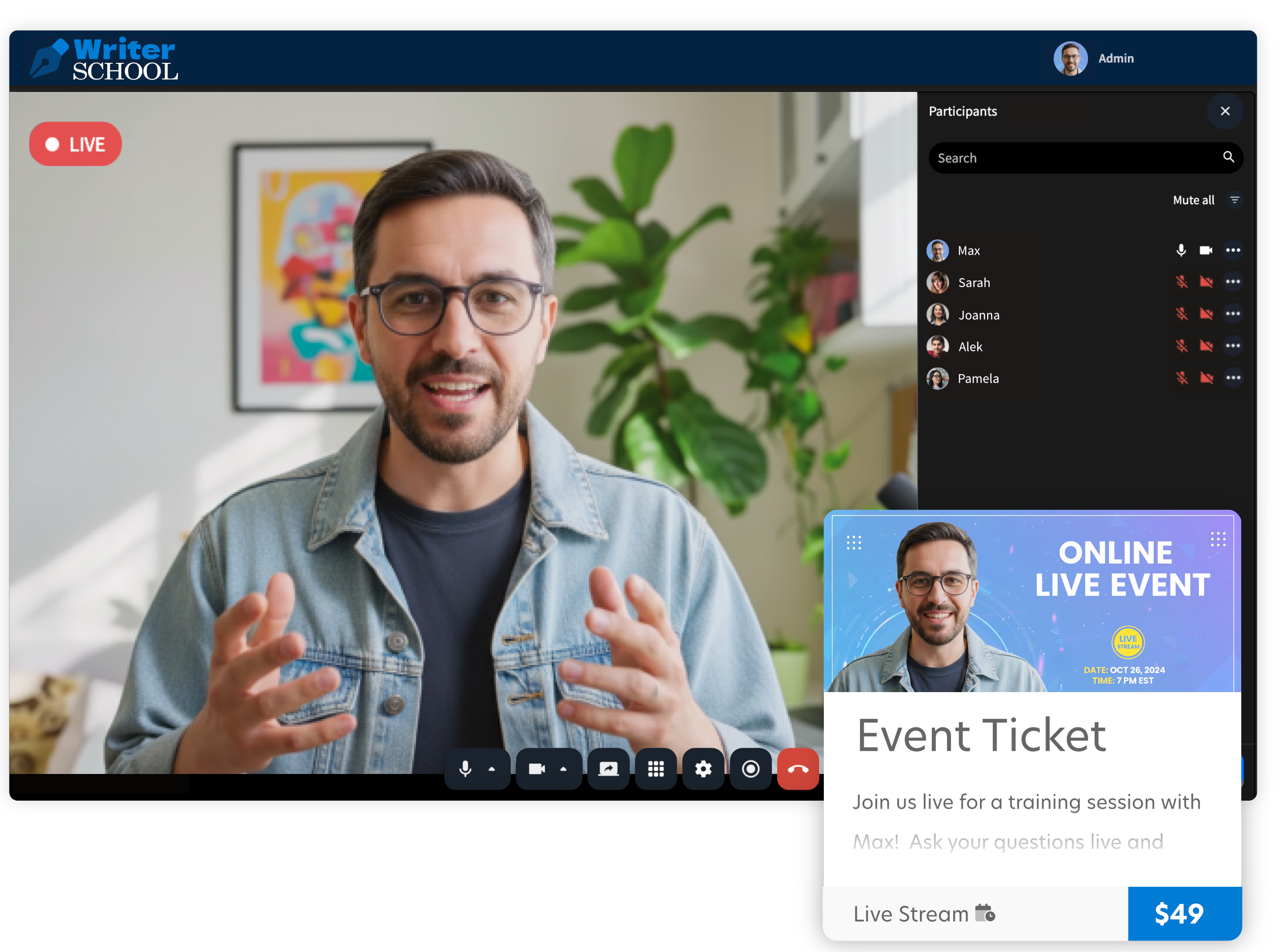
A webinar can be part of your marketing (to sell the course) or part of your delivery (to onboard new students, run a kickoff, or host guest experts). When your online course platform supports live streaming, you can keep the entire journey: registration, access, and delivery, in one branded place.
Instant calls
Sometimes you don’t need a scheduled event. You need a “jump on a call now” option for VIP students, internal team check-ins, or quick alignment. Instant calls are ideal for spontaneous sessions where speed matters.
Schedule ahead (or start instantly)
You can go live immediately when you want momentum, or schedule sessions in advance for predictable attendance and recurring programming. Heights also supports reminders so people don’t miss the start time.
Use built-in live chat to keep energy high
Every session includes live chat, so students can ask questions without interrupting, and you can answer in the moment (or have a moderator help). After the session, you can download the chat transcript if you want to pull questions for FAQs, future lessons, or follow-up emails.
Turn live teaching into reusable course content
When you host a Live Lesson inside a course, Heights can save the recording so your live session becomes part of your curriculum, useful for students who couldn’t attend and for future cohorts.
Use Instant Calls for “drop-in” sessions
If you want a permanent meeting link you can share anytime (for quick support, VIP access, or team calls), Heights offers an Instant Call setup. As the admin, you can approve participants as they request to join, useful when you want speed without giving up control.
How Course Creators Can Deliver Live Sessions To Customers
There are a few simple ways to deliver live calls inside Heights Platform. The right one depends on what you’re trying to do: teach, coach, sell, or build a connection.
Go live inside your community (best for engagement and conversation)
If your students already talk inside your community, start the live session there. They don’t need a separate link or a different tool. The call appears inside the channel, and the conversation can continue before and after the session in the same place. This works well for weekly Q&As, office hours, member spotlights, and group discussions.
A simple setup that works: post a short prompt in the channel the day before (“Drop your questions here”), then answer those questions live. After the call, pin the replay and link to any resources you mentioned.
Sell access to a webinar using a digital product (best for paid events or public workshops)
If the live session is an event (workshop, masterclass, training), treat it like a product.
In Heights, you can attach live streaming to a digital product, so people buy (or register for free) and then access the event inside your digital product. That keeps registration, access, and delivery in one flow.
Send a quick call link to students or your team
Sometimes you just need to get on a call today. Heights supports “instant” style meetings so you can share access quickly, without building a new schedule each time. This is useful for VIP support, small group coaching, or internal team check-ins.
Create live lessons inside your course (best for teaching + replays)
If the live session is part of your course curriculum, you can run it as a Live Lesson inside your course. You teach live, then the recording will be automatically saved as the lesson video, so students who missed it can still watch it in the future.
This format is great for cohort courses, challenges, and any program where you want students to do the work alongside you.
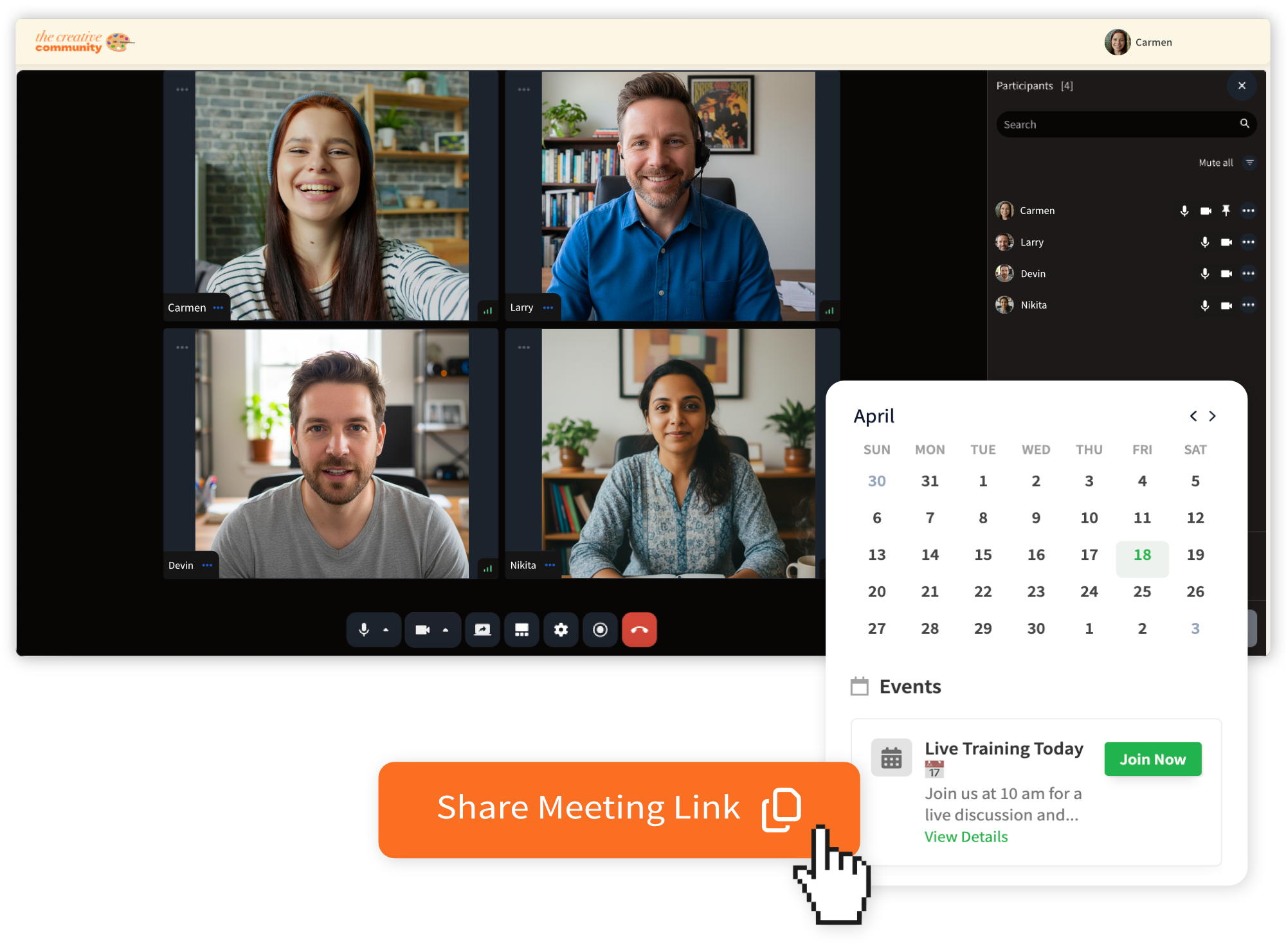
Why Should You Offer Live Streaming Alongside Your Courses?
Offering live sessions (group calls or live streams) in the same place where you sell your courses has many benefits, for both creators and their customers:
Compete With AI
In a time when AI tools can generate lessons, summaries, and even full courses in minutes, pre-recorded content alone is no longer enough. Students expect a real human connection. They want access to a real person, real answers, and real interaction. Live sessions add the human layer that technology cannot replace.
Launch Faster Without Overthinking Production
Many creators delay launching a course because they think they need the “perfect” setup. They worry about cameras, lighting, editing, scripts, slide design, and getting every lesson polished before anyone sees it. That slows everything down.
Live sessions remove that barrier. You can teach the material in real time, validate the idea immediately, and turn each session into recorded content afterward. Instead of spending weeks producing a course in isolation, you build it with your audience. You get instant feedback, real questions, and proof that the content resonates with your customers.
Students Take Action Faster
A live session creates a real deadline. Online course students tend to watch pre-recorded lessons when they “get the time" to do so. However, your customers will show up live because it’s happening at a specific time. That often leads to a higher course completion rate, more engagement and a more active relationship between the creator and their students.
Reduce Refund Requests and Drop Offs
Most refunds and drop-offs happen when someone gets stuck and waits too long. A weekly Q&A or office hours session clears confusion quickly and keeps people moving.
Your Course Feels More Personal
Group calls let students hear answers to questions they didn’t know to ask. It’s the closest thing to coaching at scale.
Build a Thriving Community
When people see each other and talk in real time, the community becomes more than posts and comments. That raises participation and makes your program more active.
Live Sessions Become Evergreen Assets
Live Lessons can turn into recordings that live inside your course, so every session can become long-term course content.
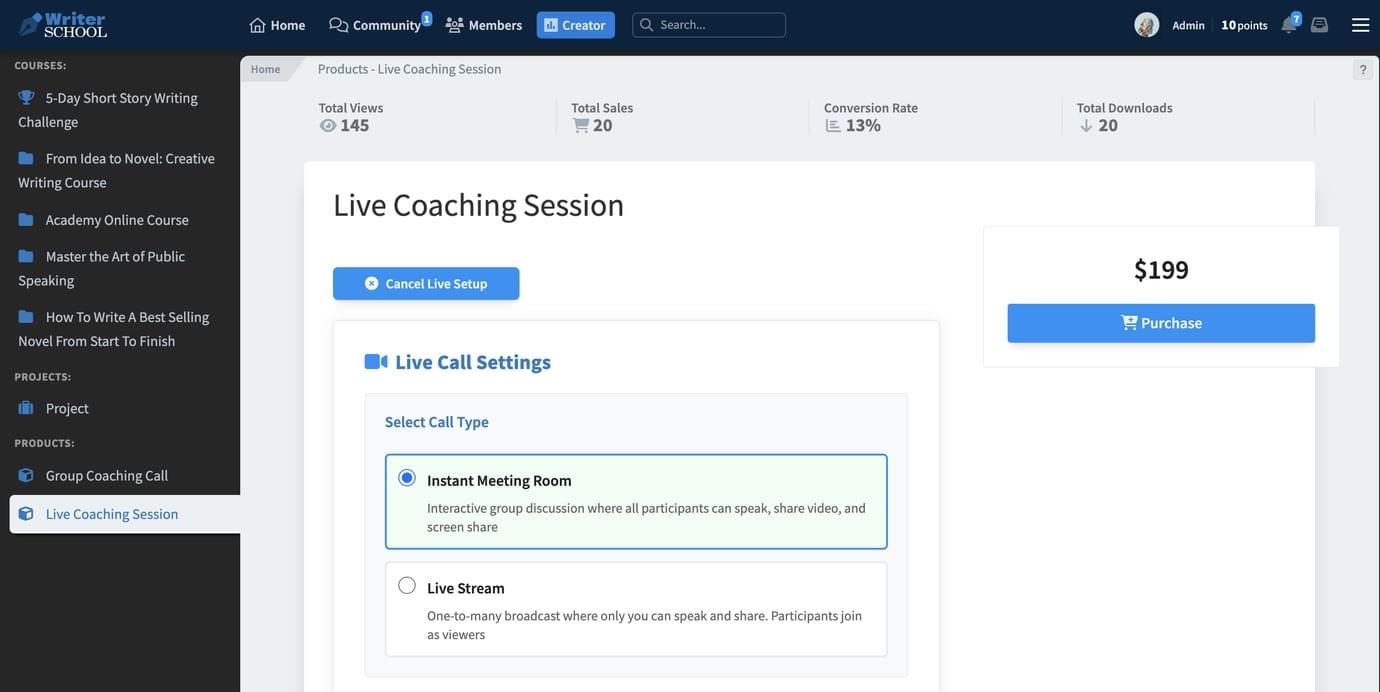
Step-by-step process to do this in Heights Platform
Below are the most common setups. Pick the one that matches how you want students to experience the session.
Option A: Host a live session inside your community
- Open the community channel where you want to host the call.
- Start a live stream or group meeting from that channel.
- Add a title that tells people what they’ll get (example: “Weekly Q&A: module 2 support”).
- Schedule it ahead of time if you want, or start immediately.
- When you’re live, use the built-in chat to collect questions and keep the session organized.
- After the session, post a short recap in the channel and link to the replay if you’re sharing it.
Option B: Create a Live Lesson inside your course
- Open the course and find the module where the live lesson belongs.
- Create a lesson (or open an existing lesson) and set it up as a Live Lesson.
- Schedule the date and time.
- Teach live: demonstrate, share your screen, answer questions.
- After the session, the recording can save as the lesson video so it becomes part of the course.
Option C: Sell access to a live webinar using a digital product
- Create a new digital product (or open an existing one).
- Add live streaming or a group meeting to that product.
- Set the event time (or run it live instantly).
- Share the product page so people can register or purchase.
- Deliver the session inside Heights, then decide if you want to give replay access as part of the product.
Option D: Use an instant-style call for quick access
- Set up an instant meeting room for the purpose (VIP help, team check-ins, quick student support).
- Share access with the right people.
- Start the call when needed, without building a new event each time.
Go Live Alongside Your Courses With Heights Platform!
Live sessions transform your course from a content library into a real learning experience. Students show up, take action, and feel supported; questions get answered faster, and your program feels alive instead of static.
When live streaming and course delivery happen inside the same online course platform, you remove friction and keep the focus on progress. With Heights Platform, you don't need any extra tools or scattered links.
Just one place where teaching, conversation, and community happen together.
If you want to deliver courses that feel personal, interactive, and built for what your customers expect in 2026 and beyond, start hosting your live sessions inside Heights.
Create your free 30-day account and begin building your live course experience with Heights Platform today.
Create Your Online Course Today

