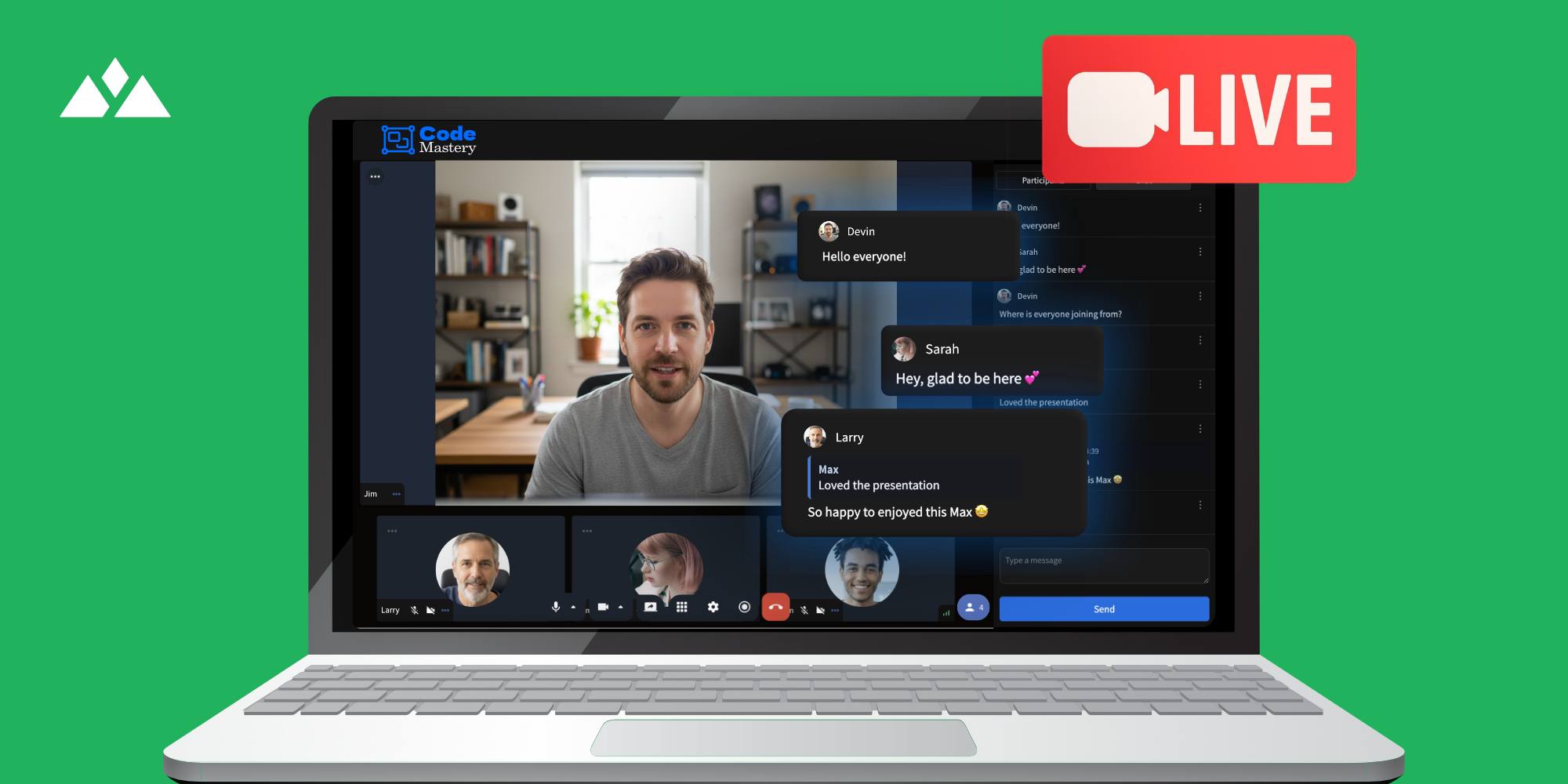
Host Live Sessions & Group Calls Alongside Your Courses - Introducing Live Streaming in Heights Platform
8 minute readAt the end of 2025, Heights Platform released a new feature that revolutionizes the way creators connect with their customers and deliver engaging learning experiences.
Meet live streaming and group calls - right inside your online course and community platform!
Starting a live call is one of the most engaging ways to connect with your audience in real time.
Instead of relying on pre-recorded videos or static content only, live streaming lets you show up, interact, and build authentic connections instantly. This new update aims to bring creators and students together, building trust and monetizing their content in a new way.
Whether you want to teach a live lesson, answer questions on a group call, host a webinar or live event, you can now do it right inside Heights Platform.
Until now, most creators have had to rely on external tools like Zoom or expensive webinar software, separate from their learning platform, which meant juggling additional links, logins, and costs.
With Heights Platform’s new Live Streaming feature, all that changes. You’ll be able to start live sessions, teach lessons, host events, and bring your community together directly within your program - all under your own branding and complete control.
Live streaming inside Heights Platform gives creators a complete, integrated solution to engage students, host live lessons, and build vibrant communities - without ever needing to leave their learning space. It’s your own private Zoom, built right into your business.
Every live stream includes a built-in live chat, so you can interact with attendees in real time, answer questions, and build a stronger connection as you present.
In this article, we'll cover how live streaming works inside Heights Platform, and how you can host live lessons, group calls and coaching sessions side by side with your courses and community.
Start Free Today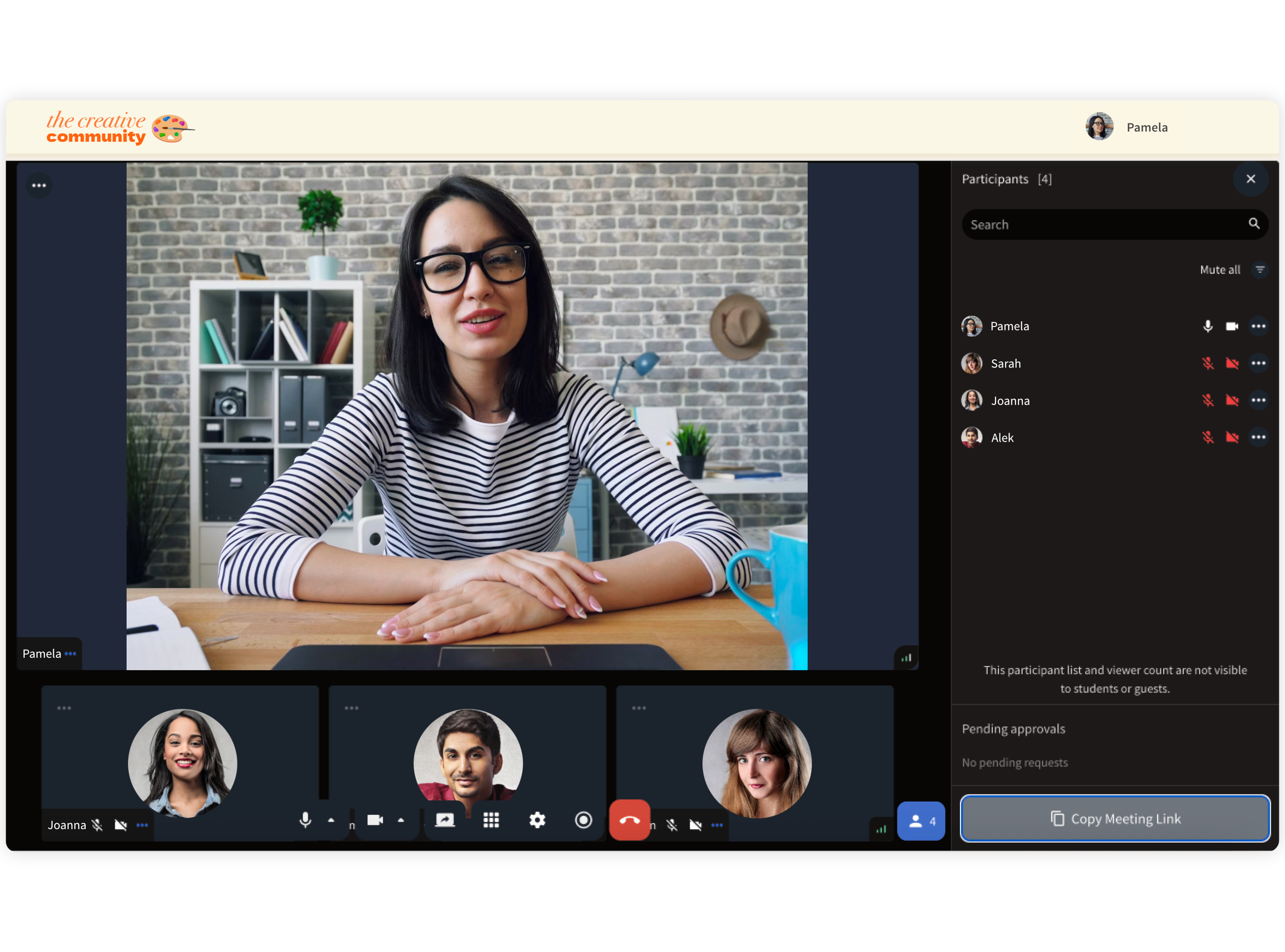
Use Cases for Live Streaming in Heights Platform
Live streaming opens up new possibilities for Heights creators to connect, teach, and grow their business in real time, using only one platform.
Creators can now host live lessons to make their courses more dynamic and personal. Instead of only uploading videos, you can meet your students face-to-face, share your screen, demonstrate something live, and instantly answer questions.
After the stream, the recording becomes a video lesson in your course, giving future students the same experience, even if they couldn’t attend live.
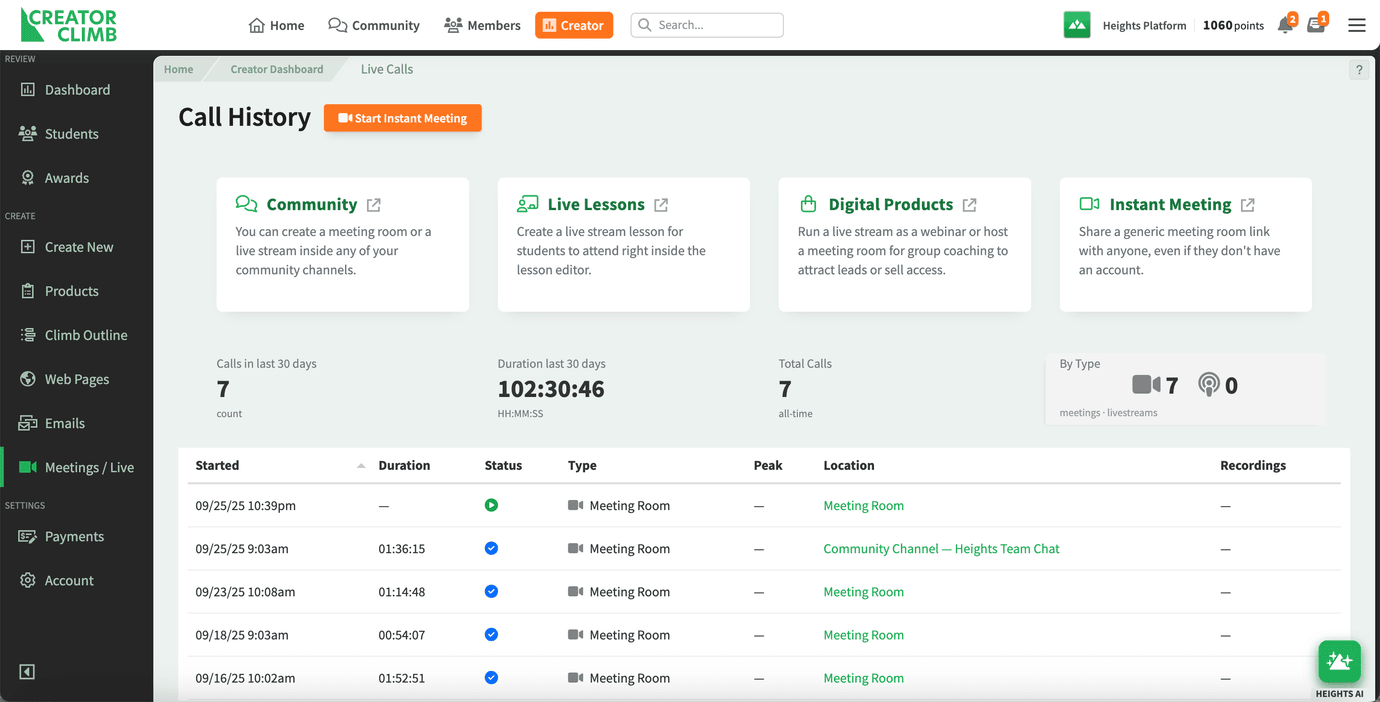
If you manage a community, live streaming brings your members closer. You can host group discussions, mastermind calls, or Q&A sessions without switching platforms.
Calls and live streams can be started right inside your community channel, meaning that members online and offline can join the stream easily at any time.
If your community members are online, they see a banner advertising the call in progress; if they are not logged into your program, Heights sends automated reminders about the upcoming call.
The result is a more connected community that learns and grows together.
For creators offering digital products, live streaming adds another layer of value. You can sell tickets to live events, offer private sessions as part of an offer, or reward premium customers with exclusive access.
Online coaches can find this feature especially useful to host regular meetings, one-on-one or group coaching calls, or sell access to individual live sessions.
Finally, you can use instant calls or ongoing meeting rooms to host spontaneous coaching sessions, team check-ins, or one-on-one meetings. Everything happens in your Heights account, under your control, without third-party apps or complicated integrations.
Live streaming gives you the freedom to decide how you connect - whether that’s teaching, selling, or building community - all from the same platform where your audience already learns from you.
Live Streaming Inside the Community
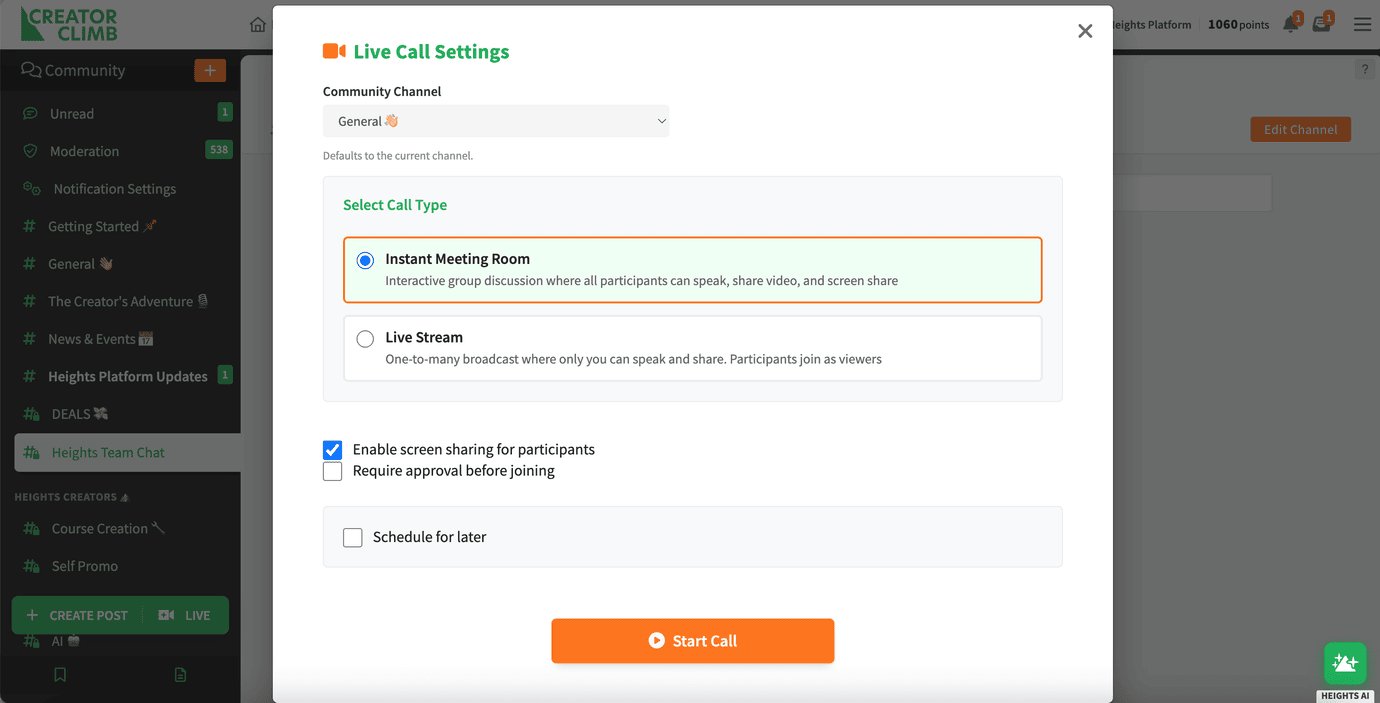
Your community is the heart of your business - and now, with live streaming built directly into Heights Platform, you can bring that community to life in real time.
Inside your community channels, you’ll have the ability to start or schedule live calls through Streams and Meeting Rooms. This means you can connect with your members instantly or plan regular live events without leaving your platform.
Meeting Rooms are flexible spaces designed to fit how you want to engage. You can host interactive group calls, where everyone can join the conversation with their camera and mic, perfect for mastermind sessions, coaching calls, or community meetups.
Or, if you prefer a more controlled setup, you can stream webinar-style sessions, where you’re on camera leading the discussion or sharing your screen, while your audience tunes in to watch. This setup is ideal for workshops, product demos, or live Q&A events.
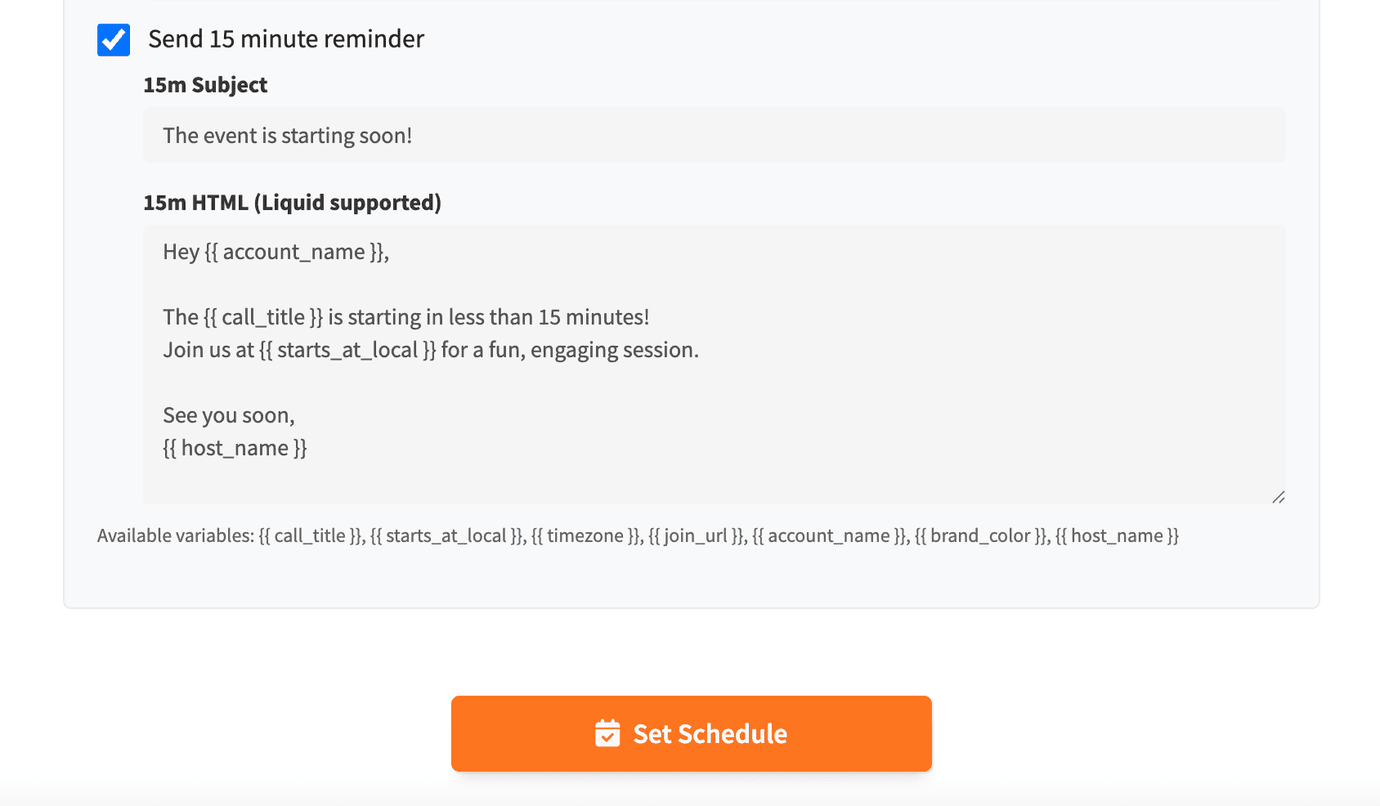
With this option, you can set automated emails to be sent to your community members, notifying them about the upcoming event. Only members who have access to that specific community channel in which you are hosting the stream will get notified, and you can easily adjust the number of emails to be sent - and the content of the emails.
Because it’s all integrated inside Heights Platform, your members won’t need external links or extra logins. Everything happens within your branded community, creating a seamless experience that keeps your audience engaged and connected.
In addition to video and audio, every Meeting Room and Live Stream includes a real-time chat window. Members can post questions, share thoughts, or engage with others while watching or participating in your live session.
Live Lessons
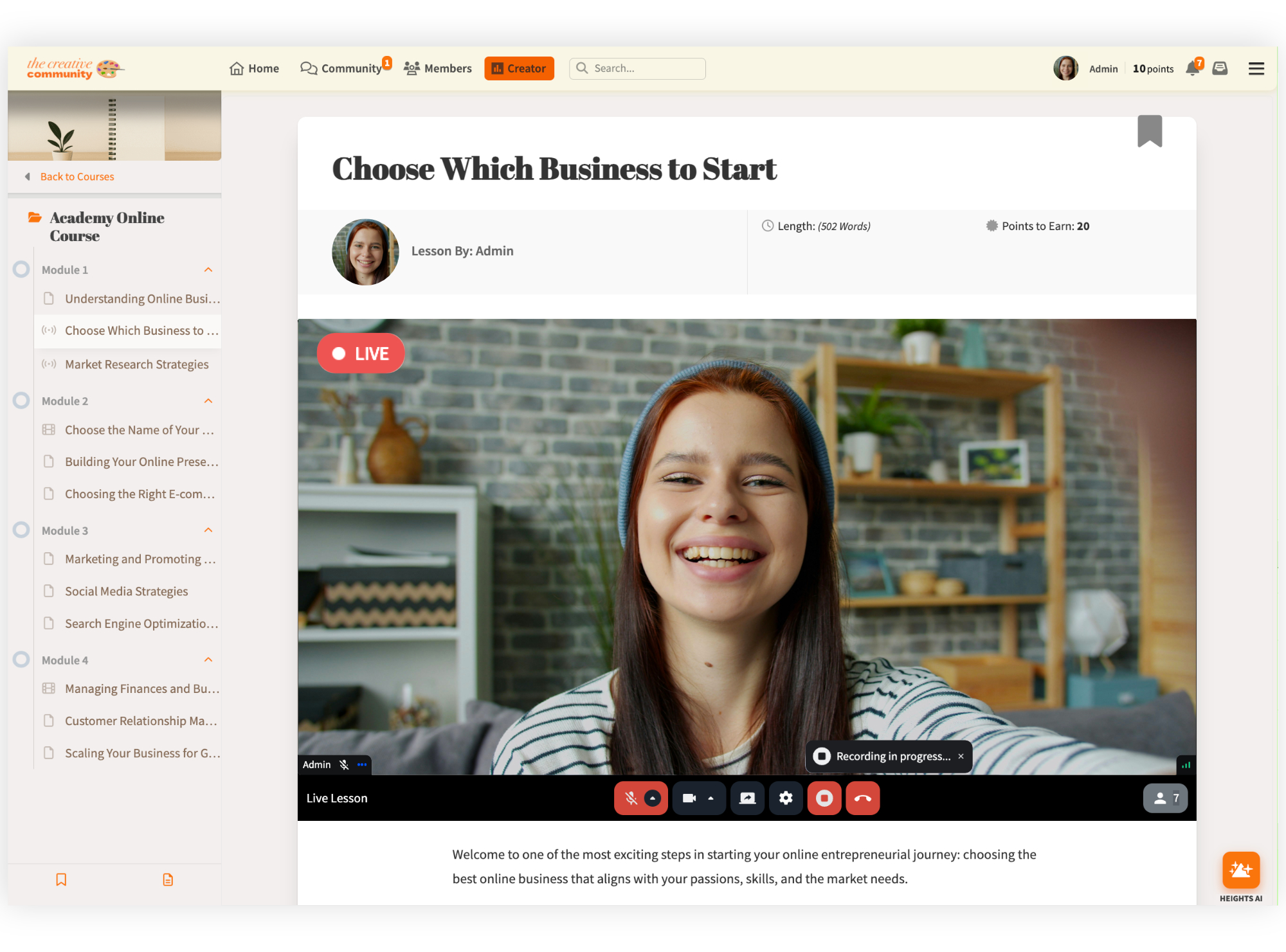
Live Lessons bring a new level of energy and interaction to your online courses.
Instead of only sharing pre-recorded videos, you can now teach in real-time, guiding your students through lessons, answering questions, and demonstrating concepts as they arise.
The live chat makes it easy for students to ask questions and comment as you teach, keeping your lessons lively and interactive.
After the session ends, the recording is automatically saved and becomes a lesson video. This means future students can watch the replay as part of the course, so your effort continues to deliver value long after the live stream is over.
Live Lessons are perfect for creators who want to make their programs more engaging and personal. You can use them to kick off a new course, host weekly Q&A calls, or run a live challenge that motivates your audience to take action.
This feature transforms your course from a one-way learning experience into a more personalized one, where your students can see you, learn from you, and feel part of something genuine.
Start Free TodayDigital Products Live Streaming
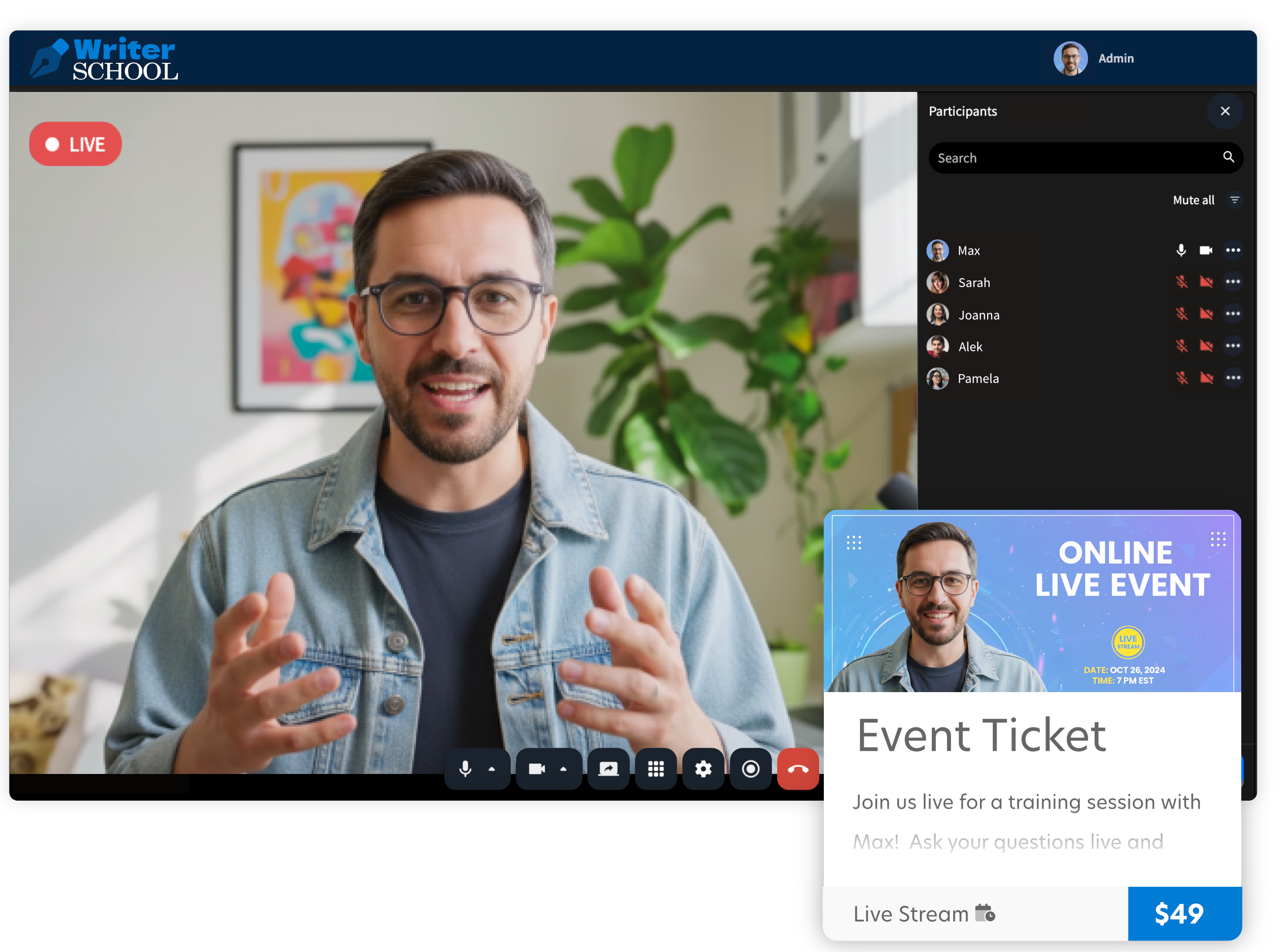
Live streaming inside Digital Products gives you even more ways to monetize your expertise and deliver unique experiences to your audience.
You can now offer live access as part of a digital product, for example, selling tickets to an upcoming live workshop or webinar.
This allows you to promote a one-time or recurring event, reach new audiences outside your main program, and collect payments directly through Heights Platform.
You can also bundle live sessions as a bonus or exclusive perk for certain customers. For instance, students who purchase a premium course package could get access to a private live Q&A or a behind-the-scenes coaching session.
Because live streaming is fully integrated into Heights Platform, everything from sign-up to payment to access happens in one place.
You don’t need separate webinar tools or event platforms. Your live event takes place inside your own branded space, giving you complete control and a professional experience that feels cohesive to your customers.
This flexibility turns live streaming into a new revenue stream for creators. Whether you’re hosting a paid masterclass, running limited-access training, or adding live events to your offers, it’s a powerful way to grow engagement and income without adding more complexity to your tech stack.
Instant Calls
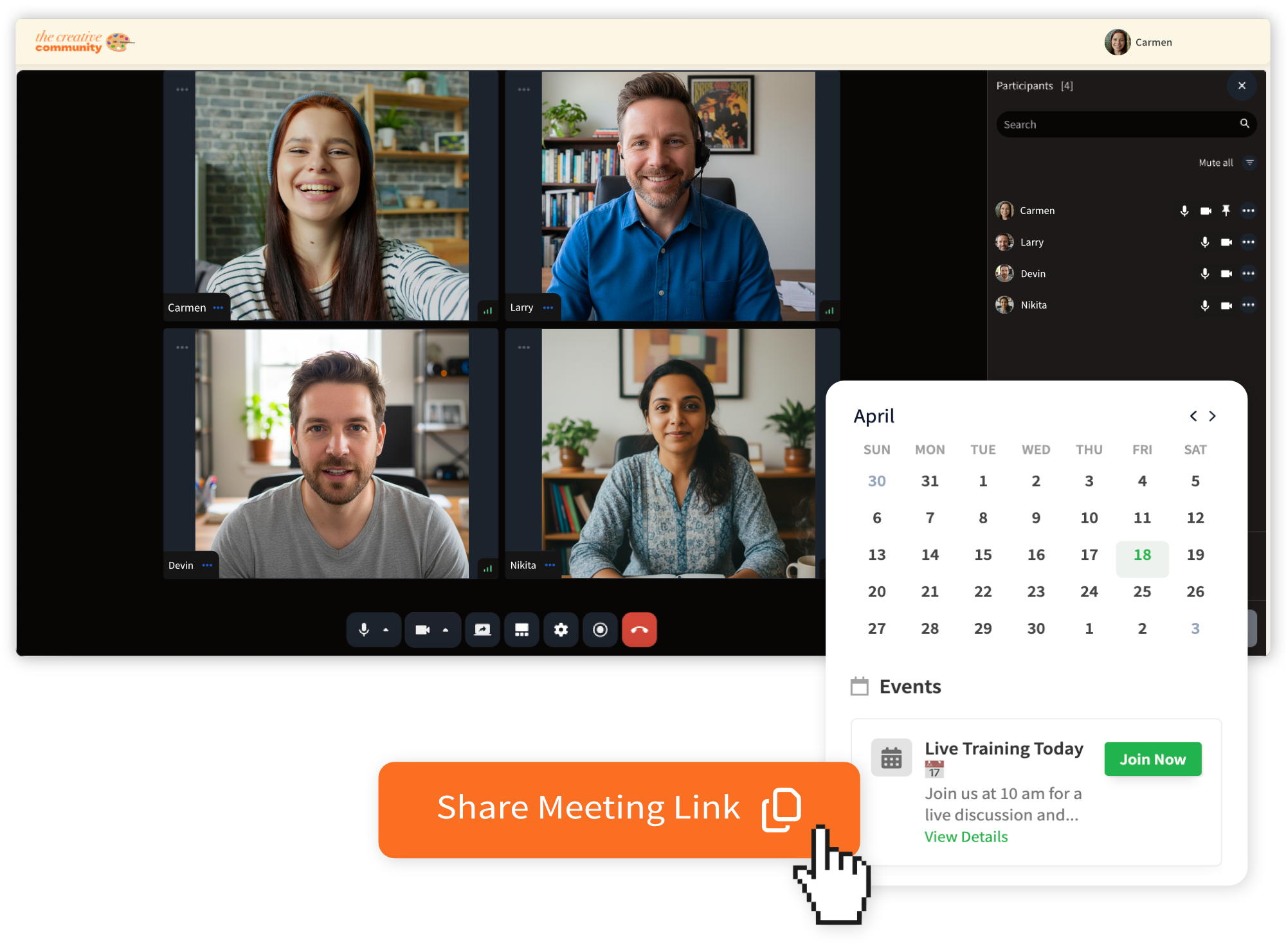
With Instant Calls, you can connect with your audience, students, or team members in seconds, no scheduling or setup required.
This feature creates a permanent meeting link inside your Heights Platform account, available anytime you need it. Think of it as your always-on meeting room: a private, branded space you can use whenever you need to jump on a quick call.
Instant Calls are perfect for spontaneous coaching sessions, quick feedback chats, or team check-ins. You decide who can join and when, giving you full control.
As the admin, you can let participants in when they request to join, ensuring every call remains secure and private. The main difference between Instant Calls and the other live streaming options we covered so far is that anyone can access it, even if they don't have an account or are not registered in your program. With one click, you can share the meeting link with anyone, and they can join once they are approved into the call.
And because it’s built directly into Heights Platform, there’s no need to switch apps or share external links; everything happens inside your learning environment.
This feature gives creators the flexibility to offer real-time communication without the friction of scheduling tools or extra software.
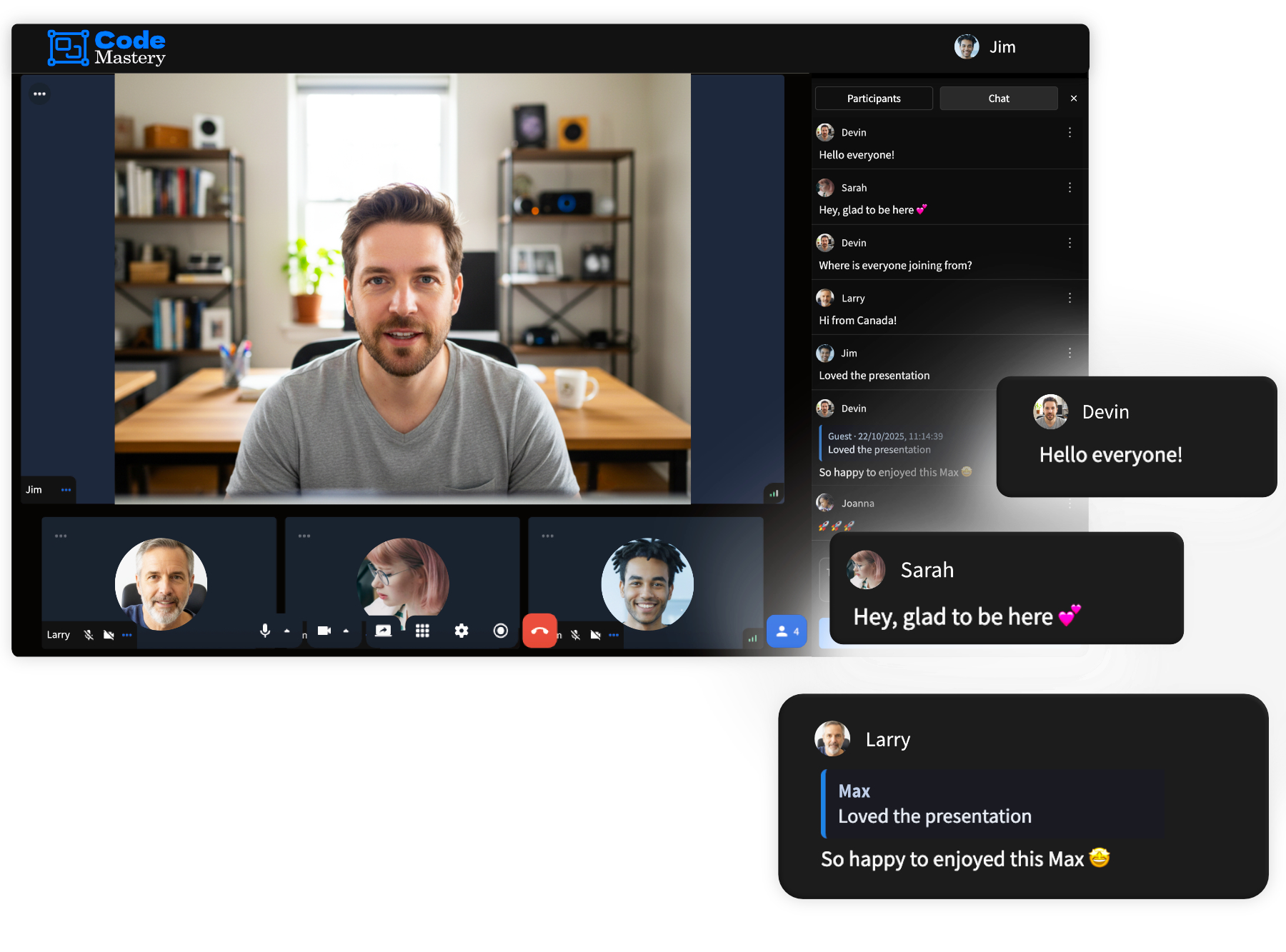
Alongside live streaming, you can also access a built-in live chat that makes every session more interactive.
You can chat in real time with attendees, answer questions, respond to comments, or simply connect with your audience as you present.
After each call, you can access and download the chat transcript, providing valuable insights and keeping your community conversations organized.
How to Live Stream Inside Heights Platform
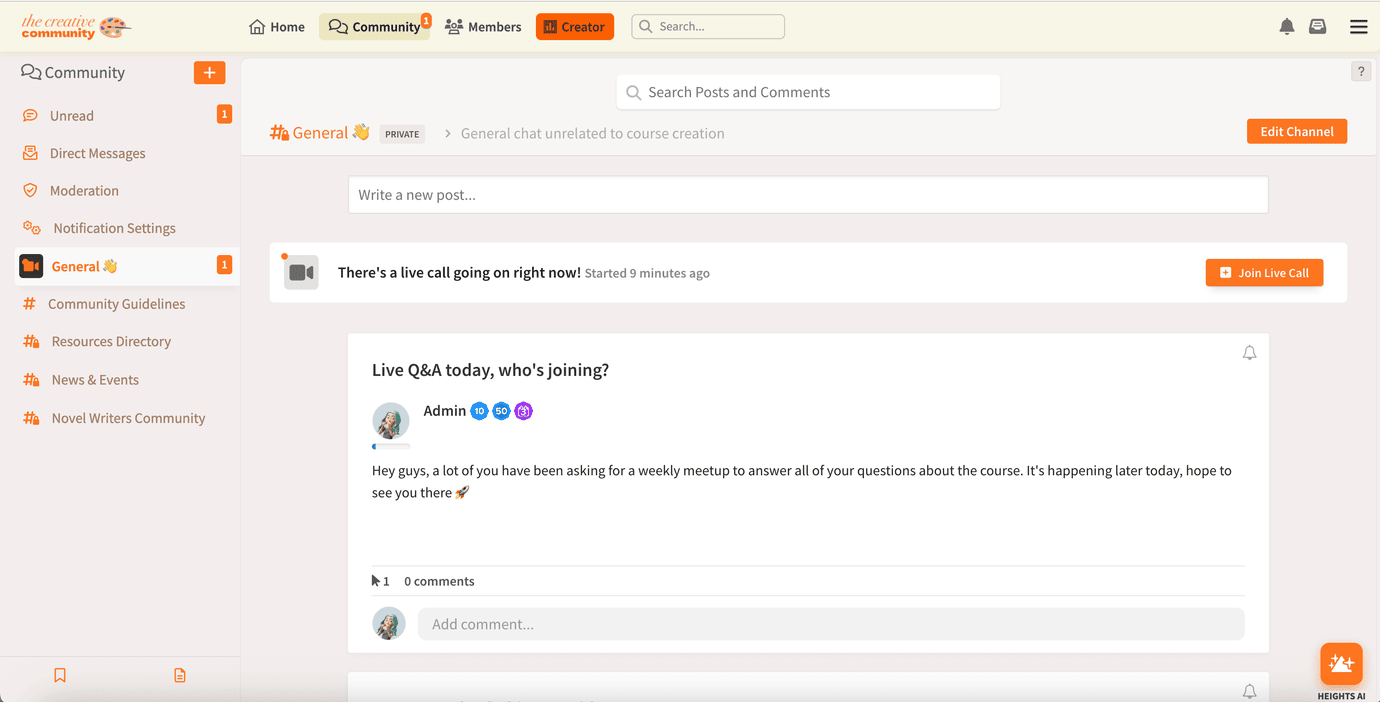
Starting a live stream in Heights Platform is simple and easy, designed so you can go live in just a few clicks, right from where you already teach, sell, and connect.
You can begin a live session from multiple areas inside your account:
1. Inside Your Community
Go to any community channel and click to create a Meeting Room. Choose whether you want to start an open group call - where everyone can join with their camera and mic - or host a one-way streaming session where you present to your audience. You can start instantly or schedule it ahead of time, making it easy to organize recurring events or spontaneous discussions.
2. In Your Course Lessons
When creating or editing a lesson, select the option to make it a Live Lesson. Once the stream ends, Heights Platform will automatically save the recording so it becomes part of your course content. This makes every live session a lasting resource for future students.
3. Within Your Digital Products
Add a live stream or meeting room to any digital product. You can sell tickets to an event, include live access as a premium bonus, or invite customers to an exclusive session, all managed directly inside your product setup.
4. Through Your Instant Meeting Room
Use your permanent Instant Call link to start or join live sessions anytime. It’s your personal meeting space for spontaneous coaching calls or quick check-ins with your team or clients.
Every live session you host happens inside your branded environment: no extra apps, no logins, and no distractions. You’re in full control of the experience, from how you present to how your audience engages.
With the new Live Streaming feature, Heights Platform gives creators a complete system to teach, coach, and connect, all in one place. Whether it’s a live lesson, group event, or private meeting, you can now bring your entire business to life, live.
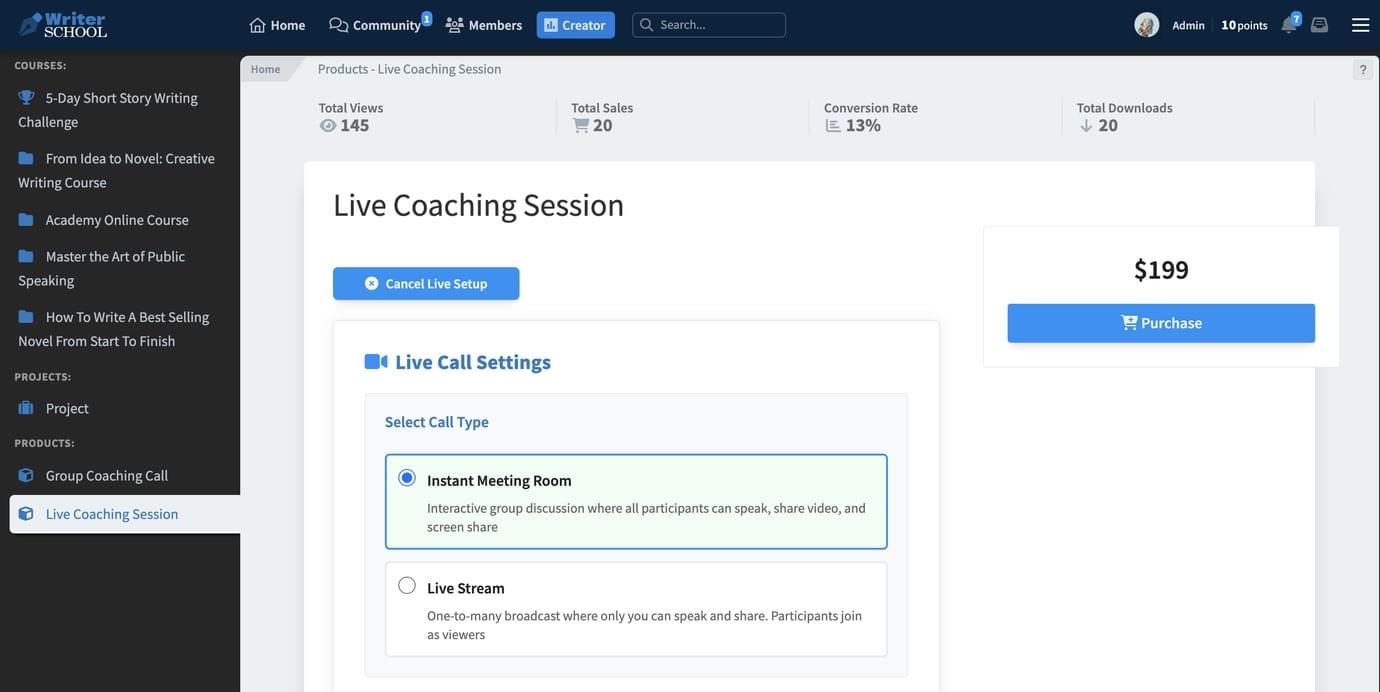
How do I start a live stream inside my online course platform?
You can start a live stream directly from your Heights Platform account: inside your community, course lessons, or digital products.
Simply create a meeting room or select “Go Live” to start your session. You can stream in real time, interact with participants, and automatically save the recording for future viewers.
All live sessions include a chat window where participants can post messages and interact throughout the call. After the stream, you can even download the full chat transcript for future reference or to review feedback.
What is a Zoom alternative for my online courses?
Heights Platform’s Live Streaming feature works as your own branded Zoom replacement, fully integrated with your courses, community, and digital products. You can host group calls, webinars, and private sessions without switching platforms or paying for extra tools.
What are the benefits of live streaming for online course creators?
Live streaming helps creators connect with their audience in real time, build trust faster, and increase engagement. It also makes your courses more interactive, your community more connected, and your offers more valuable — all while keeping everything in one place.
Can I record my live sessions in Heights Platform and share them later?
Yes. Every live session can be recorded and downloaded later. With live lessons, you can also automatically convert your live stream into a video lesson within your course. This allows you to reuse your live content, so future students can watch the replay at any time.
How can I monetize live streaming as a course creator?
Creators using Heights Platform can sell access to live events, bundle live sessions into premium course packages, or offer exclusive calls inside digital products. Because live streaming is integrated into Heights Platform, you can manage payments, access, and delivery, all under your own branding.
Start Live Calls and Events Alongside Your Course Business
The new Live Streaming feature in Heights Platform gives creators a powerful, all-in-one way to connect, teach, and grow, without ever needing external tools.
Whether you’re hosting live lessons, community calls, coaching sessions, or paid events, everything now happens under your brand, inside one seamless platform.
You control the experience, keep your audience engaged, and deliver real-time value that strengthens your business.
Live streaming turns your courses, community, and digital products into dynamic, interactive spaces where learning happens together.
Start streaming directly inside your Heights Platform account and experience what it means to connect with your audience in real time, all from your own branded space.
Start Free Today

