
18 Ways to Use OpenClaw In Your Creative Business
17 minute readRecently, the internet has been taken by storm by OpenClaw: an open source AI tool that lets anyone create multiple AI agents to simplify and automate complex processes on their own laptop or computer.
Today, we want to shed some light on what OpenClaw is, how it works, its security concerns, and why this tool is important for creators.
If you are a content creator, designer, or online course creator, you know that sometimes you spend more time than you wish on managing tools instead of creating. Emails, analytics dashboards, CRM records, meeting notes, social media reports, research… all of it adds friction to the day.
OpenClaw is an emerging tool designed to change that. Instead of manually checking platforms and running tasks, you can give an AI access to your systems and let it monitor, analyze, summarize, and act on your behalf.
Used carefully, OpenClaw can become a powerful operations assistant for creators.
What Is OpenClaw?
OpenClaw is an open-source system that allows an AI agent to interact with your tools and data.
Instead of using AI only through a chat interface, like in the case of Claude or ChatGPT, OpenClaw connects AI to real systems, such as email, CRM tools, calendars, messaging apps, analytics dashboards, databases, social media platforms and more!
Once connected, the AI can perform tasks automatically and on command, usually via a messaging app interface, so you don't even need to be near your laptop or computer to perform tasks.
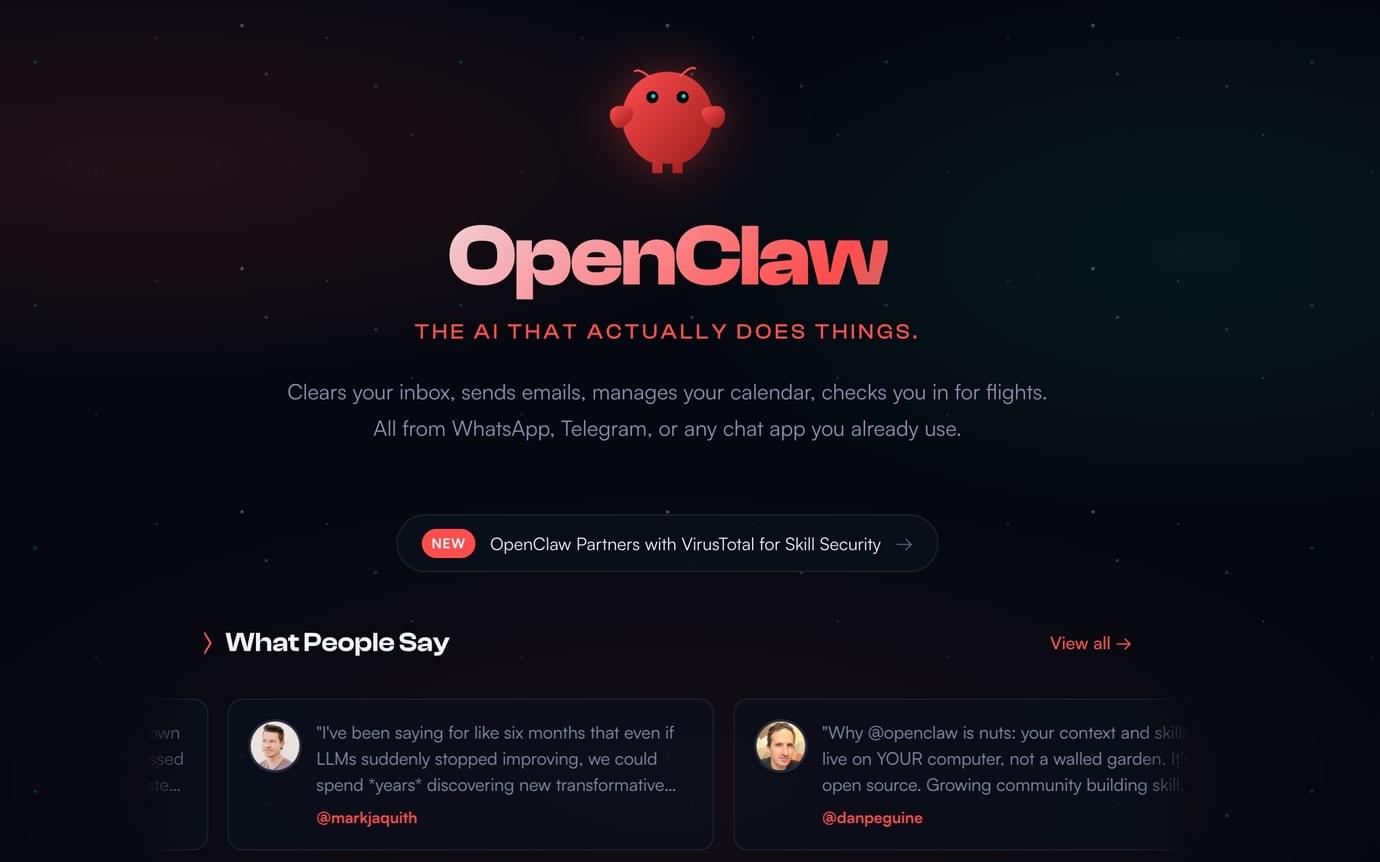
For example, instead of opening your CRM and filtering leads manually, you could open your favorite messaging app (WhatsApp, Telegram, Slack...) on your phone, and start chatting with OpenClaw, for instance, you could ask:
“Show me new leads from the last 7 days who opened my emails but haven't purchased.”
OpenClaw retrieves the information and summarizes it.
More advanced setups allow the AI to run automated jobs on a schedule. It can monitor systems, detect changes, analyze data, and send updates to you.
Think of it as giving an AI a set of tools and allowing it to operate inside your digital workspace.
OpenClaw vs ChatGPT
Most people interact with AI through tools like ChatGPT or Claude. In those systems, the AI works mainly through a chat interface. You ask questions, generate content, or analyze information that you paste into the conversation.
OpenClaw works differently.
Instead of existing only in a chat window, OpenClaw can run directly on your own computer. Many users install it on a local machine, a spare laptop, or even a small device like a Mac Mini that runs continuously in the background.
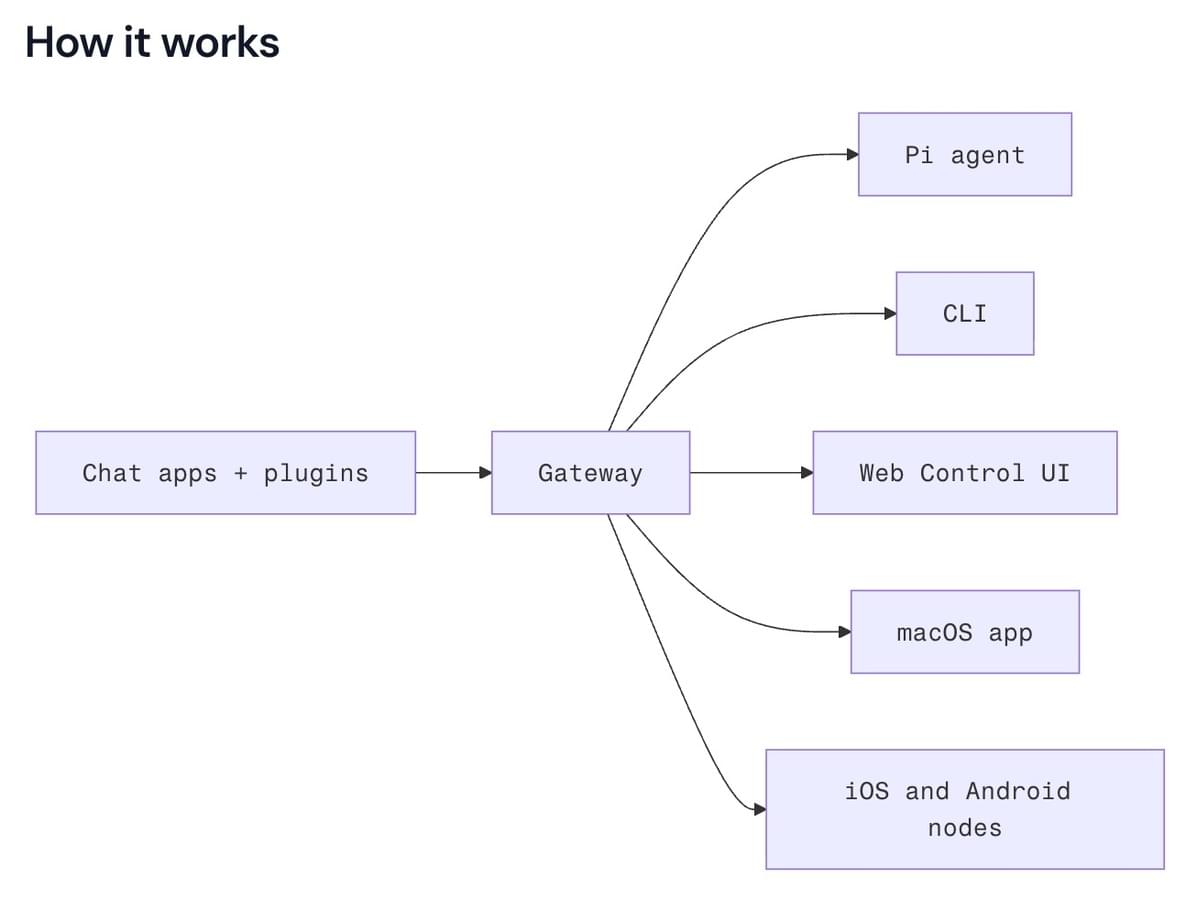
Because it runs locally, the system can access files already stored on that computer. Rather than constantly uploading documents or connecting multiple services, the AI can search folders, analyze files, and work with information that already exists on the machine.
OpenClaw can also control applications running on that computer. For example, it can use a web browser like Google Chrome to navigate websites, gather information, or interact with online tools.
Another key difference is how the system is extended. OpenClaw uses something called skills, which are essentially sets of instructions written in prompts and markdown files. These skills define what the AI can do and how it interacts with different tools or workflows.
This means OpenClaw behaves less like a chatbot and more like a programmable digital assistant that can operate inside your own environment.
How to Set Up OpenClaw
Setting up OpenClaw requires some technical work, but the process is manageable if you follow a clear structure.
First, install OpenClaw on a server or local machine. Due to its security concerns, many users choose to install OpenClaw on a spare laptop or on a small device like a Mac Mini.
Next, connect your AI model. OpenClaw does not run its own intelligence: it uses models such as OpenAI, Anthropic, or other APIs. You configure the model through API keys.
After that, you connect the tools you want the AI to access. These connections are usually made through APIs.
Common integrations include:
- email (Gmail or Outlook APIs)
- CRM systems
- calendars
- Slack or messaging apps
- databases
- analytics tools
Once tools are connected, you define which agents you want to use, and add your prompts.
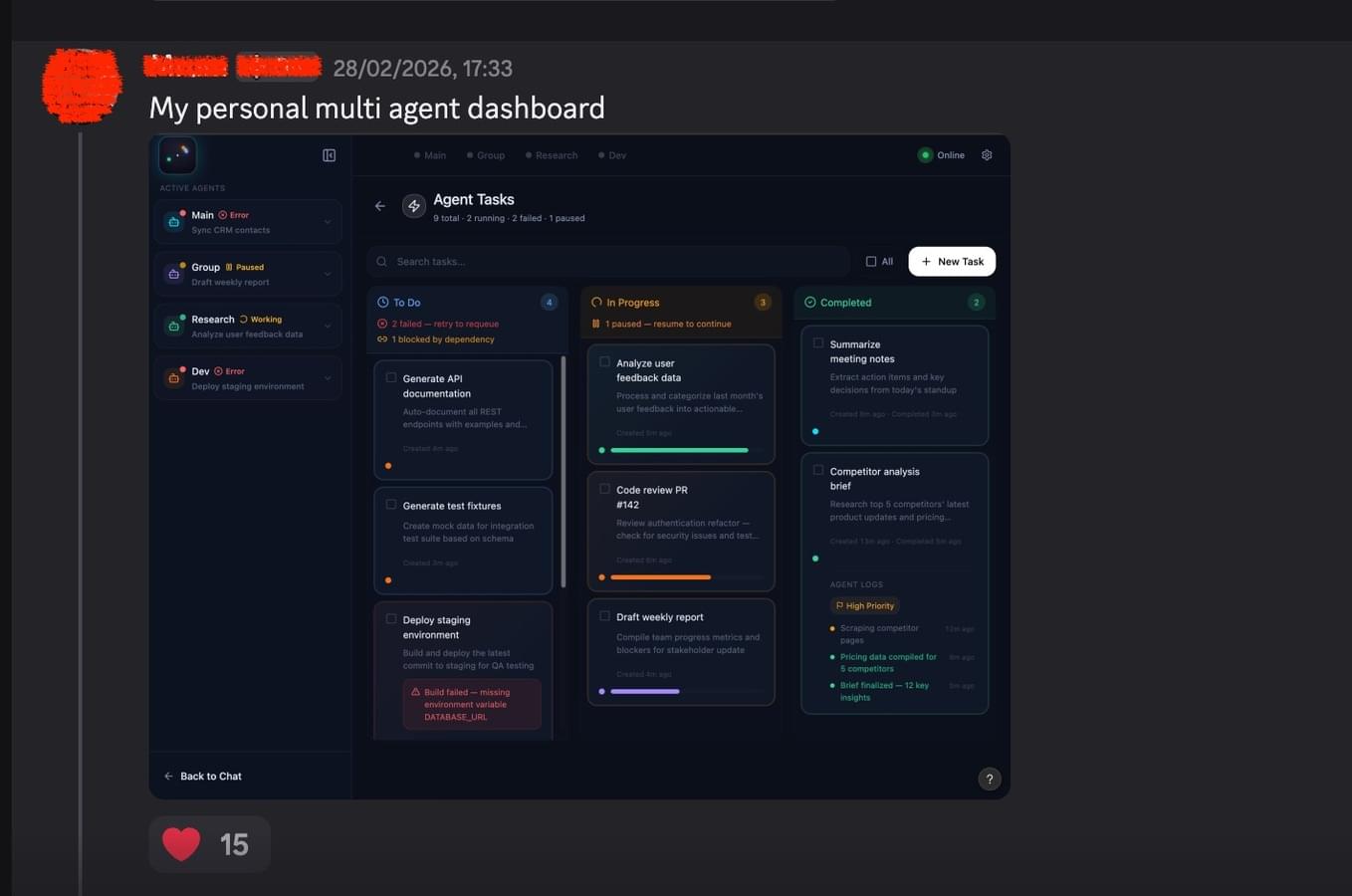
Agents are AI assistants with specific roles. Each agent receives instructions about what it can access and what tasks it should perform.
For example, you could have an "Email Agent" that monitors incoming emails and flags urgent messages, or a "CRM Agent" that analyzes leads and identifies opportunities; a "Research Agent" that collects information related to topics you are studying, and so on...
Finally, you configure automations. Automations allow the AI to run tasks on a schedule or in response to specific events. For example, you could decide that every night at 10 pm, you want OpenClaw to send you a personalized report of your social media performance of the day, recap some analytics and offer ideas for improvement.
You can also set automations based on actions. For example, you could say that whenever you get a new email, you want OpenClaw to read it and flag it based on its content.
Automations can also connect with each other. Following the example above, you could set an automation that messages you whenever OpenClaw flags an email as urgent.
These are just a few examples of the capabilities of OpenClaw, and all it can do for creators and online entrepreneurs. Keep reading below to learn more specific use cases and examples on how to use OpenClaw in your online business.
Benefits of Using OpenClaw in Your Creator Business
Thanks to AI tools like OpenClaw, creators today have more power than ever, and get the tools to be able to compete with bigger corporations. Let's see why creators can benefit from using a tool like OpenClaw (but don't forget that OpenClaw is still relatively new, and poses many security issues, which we will cover later in this article.)
Reduces Operational Work
Creators often operate a business that requires managing many moving parts. There are emails to answer, leads to review, analytics to track, customer questions to resolve, and research to collect for new content. These activities are necessary, but they take time away from the core work of creating.
OpenClaw helps reduce this operational load by letting AI monitor systems and summarize what matters. Instead of manually checking dashboards, inboxes, and CRM pipelines throughout the day, the AI gathers the information and presents a clear overview.
This shifts your role from constantly managing tools to reviewing insights and making decisions, leaving you more time to focus on what you truly enjoy: creating!
Centralizes Information Across Tools
Most creator businesses rely on multiple platforms. Email lives in one place, customer data in another, social media analytics somewhere else, and research notes in yet another tool.
OpenClaw acts as a layer that connects these systems. The AI can access information from multiple sources and combine it into one coherent view. For example, it can connect CRM activity with email engagement or compare social media performance with website traffic.
This removes the need to jump between tools to understand what is happening in your business.
Creates a Long-Term Research Memory
Creators constantly encounter valuable information. Articles, videos, case studies, and data points often influence future content, but storing and retrieving that knowledge can be difficult.
OpenClaw can store this information using vector search, which allows the AI to retrieve relevant material later. When you send links, documents, or ideas to the system, it stores them in a structured memory.
Later, when you ask questions related to a topic, the AI searches that memory and retrieves useful references. Over time, this becomes a personal knowledge library that grows with your work.
Helps Identify Patterns in Your Business
Creators collect large amounts of data but rarely have time to analyze it deeply. Social media performance, audience engagement, customer behavior, and course completion data all contain useful insights.
OpenClaw can continuously monitor these systems and analyze patterns over time. The AI can detect trends such as content formats that perform better, lead sources that convert more often, or lessons in a course where students tend to stop watching.
Instead of manually reviewing reports, creators receive summaries that highlight meaningful changes and opportunities.
Enables Custom Workflows
Most automation tools are built for general business tasks. They work well for simple workflows but often struggle to match the specific needs of creator businesses.
OpenClaw allows creators to design their own workflows. AI agents can be assigned specific responsibilities, connected to particular data sources, and configured to run on schedules that match how the business operates.
This flexibility allows creators to build systems that support their unique process rather than adapting their work to fit a rigid tool.
Improves Decision Making
When information arrives in scattered dashboards, it is difficult to understand the bigger picture. Creators often rely on intuition because analyzing all available data takes too much time.
OpenClaw helps bring that information together and analyze it in context. For example, the AI could combine analytics, audience feedback, and customer behavior to evaluate a new content strategy.
With clearer summaries and data-backed insights, creators can make more confident decisions about what to create next or how to improve their offers.
Potential Concerns of Using OpenClaw for Creators
If you've been online lately, you probably saw tweets, YouTube videos, and posts discussing the security implications of tools like OpenClaw. The concerns are not necessarily about software vulnerabilities or confirmed breaches, but about the level of access these AI agents can have once they are connected to your systems.
Because OpenClaw can interact with emails, files, browsers, and other tools, many users choose to run it on a separate or older computer where the AI cannot access sensitive information. This creates an additional layer of separation while people experiment with the system.
With that context in mind, let's look at some of the potential risks creators should understand when using OpenClaw (at least as of today, March 2026).
Security Risks and Prompt Injection
Giving an AI agent access to your tools introduces security considerations. If the AI can read emails, access a CRM, or interact with databases, it technically has the ability to influence real systems.
One main concern is prompt injection. This happens when malicious content attempts to manipulate the AI's instructions. For example, an email could contain hidden instructions that try to convince the AI to perform actions outside its intended role.
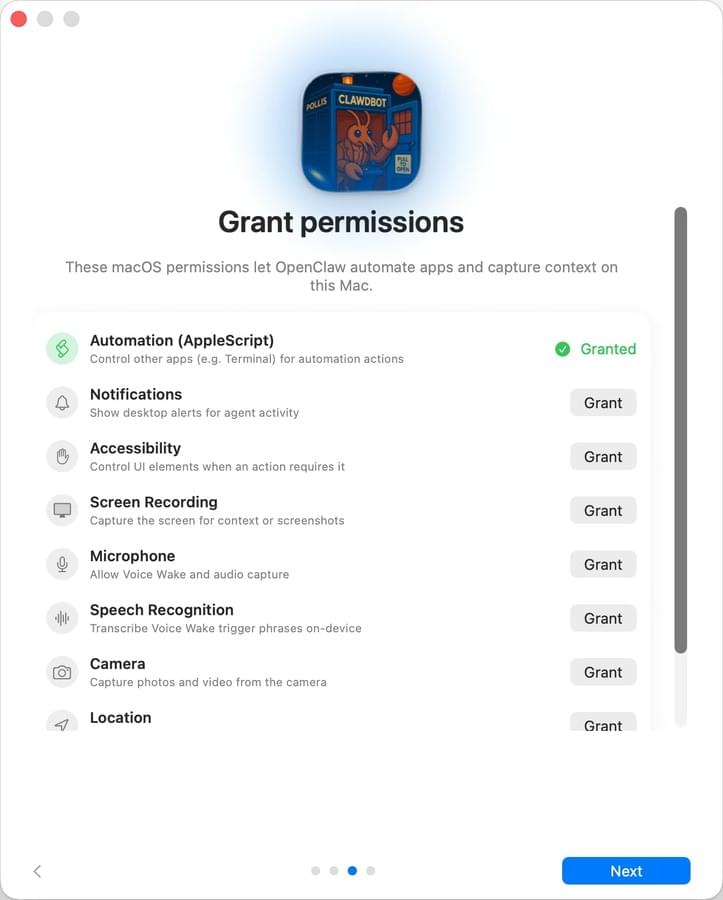
To reduce this risk, creators should design strict agent permissions. Each agent should only access the systems it truly needs, and sensitive actions such as deleting records or modifying customer data should require explicit approval. Limiting what the AI can do is one of the most effective ways to maintain control.
AI Mistakes and Hallucinations
AI models can misinterpret instructions or generate incorrect outputs. In some cases, they may confidently present inaccurate conclusions.
When AI is connected to operational systems, these mistakes can become problematic. An incorrect interpretation of data could lead to wrong insights, and automated actions could create unintended changes.
For this reason, many creators start with AI performing analysis and summaries rather than direct actions. Allowing the AI to observe and report before enabling automation helps build confidence in the system.
High API and Infrastructure Costs
Running multiple AI agents continuously can generate high costs. Each task that analyzes data, processes documents, or runs research requires calls to AI models, which are billed per usage.
If agents are poorly configured or run too frequently, their usage can increase very quickly. Creators should monitor API consumption and adjust automation schedules to keep costs predictable.
Complexity and Maintenance
OpenClaw provides flexibility, but that flexibility introduces complexity. Agents need clear instructions, integrations require maintenance, and systems must be monitored to ensure they continue working correctly.
APIs may change, services may update their authentication systems, and AI models may behave differently over time.
Creators who adopt OpenClaw should treat it as an evolving system rather than a one-time setup. Periodic adjustments and monitoring are necessary to keep the workflows reliable.
What Creators Can Do with OpenClaw [18 Practical Ideas]
Once OpenClaw is connected to your tools and data, it can begin acting as a digital operations assistant. Instead of logging into platforms and manually collecting information, you can configure AI agents to monitor systems, analyze activity, and report useful insights.
The most useful applications usually involve tasks that happen repeatedly in the background of a creator's business.
Below are practical ways creators can use OpenClaw to support content creation, marketing, and operations.
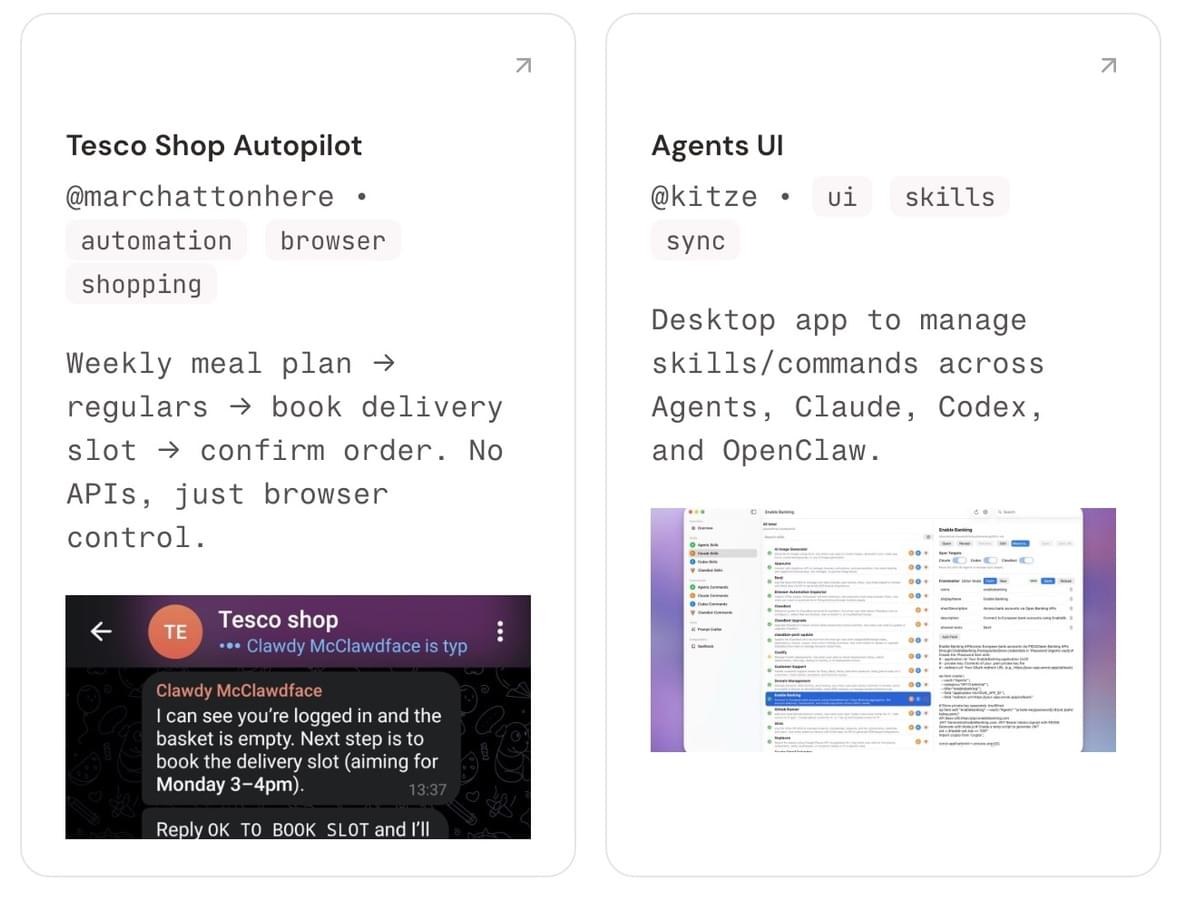
Inbox Management and Email Filtering
Many creators receive a constant flow of emails. These messages can include support requests, partnership inquiries, student questions, marketing messages, and automated notifications from different tools.
OpenClaw can monitor your inbox and organize incoming emails automatically. The AI can categorize messages based on their intent, highlight important conversations, and filter out low-priority messages.
For example, the AI could identify emails from customers who recently purchased a course, messages from potential collaborators, or refund requests that require quick attention. Instead of scanning every email manually, you can ask to receive a clear summary of what needs attention, or ask OpenClaw to send you a message whenever it flags an email as urgent.
This approach helps keep the inbox manageable while ensuring important conversations are not overlooked.
CRM Monitoring and Lead Insights
Creators who sell courses, memberships, or coaching often rely on a CRM to track leads and customers. Over time, this data becomes difficult to review manually.
OpenClaw can analyze CRM activity continuously and highlight patterns in audience behavior.
For example, the AI could detect:
- leads who opened multiple emails but did not purchase
- subscribers who clicked webinar links but never registered
- students who completed a course and might be ready for a higher-level offer
Instead of generating static reports, the AI provides insights that help creators decide where to focus marketing efforts.
This allows creators to respond to opportunities more quickly without manually analyzing CRM data.
Meeting Summaries and Action Items
Creators frequently hold calls with clients, collaborators, or students. After a meeting ends, it can be difficult to remember every detail or track the next steps.
OpenClaw can monitor your calendar and process meeting notes, transcripts, or recordings.
For example, maybe you use a transcript tool already to generate summaries of what was discussed during a meeting. The summary may include key discussion points, decisions that were made, and specific action items for each participant.
OpenClaw can treat these summaries and send them directly to a messaging app or store them in a workspace so that important information is easy to review later.
This helps creators stay organized without needing to manually document every meeting.
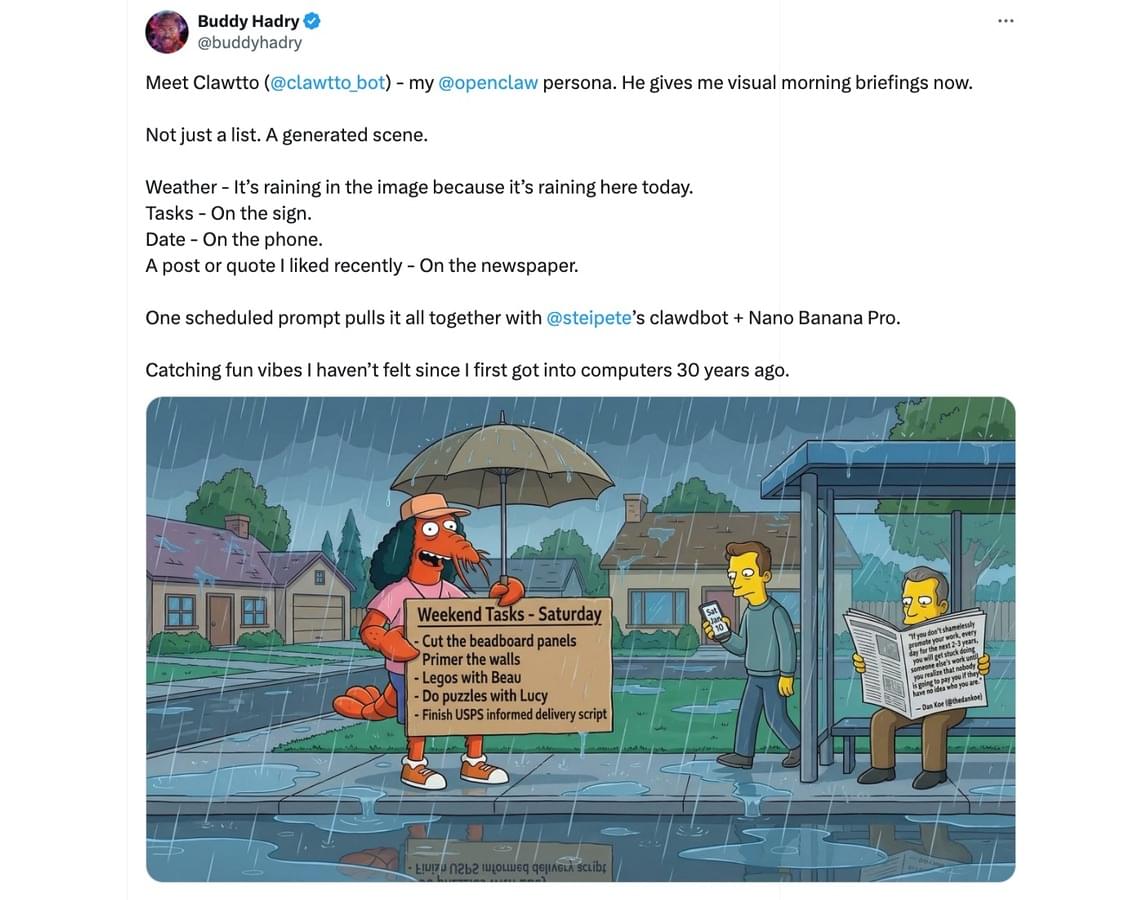
Daily Business Briefings
A useful automation for many creators is a morning briefing.
Instead of checking multiple dashboards every morning, OpenClaw can scan your systems overnight and produce a summary of important activity.
This briefing might include:
- new leads that entered your CRM
- new sales or subscription activity
- social media performance from the previous day
- important emails received overnight
- scheduled meetings for the day
The AI sends a short report through Slack or another messaging platform (Telegram, WhatsApp...). Within a few minutes, you have a clear overview of your business activity.
Research Storage and Retrieval
Creators regularly collect information while researching content ideas. This may include articles, videos, academic research, case studies, or examples from other creators.
OpenClaw can store these materials in a searchable memory system. When you find something useful, you can send it to the AI through a messaging interface. The system stores the content and indexes it using vector search.
Later, when you are developing new content, you can ask the AI to retrieve relevant material.
For example, you might ask: “Find the research I saved about online communities.”
The AI searches stored material and returns articles, videos, and notes related to that topic. Over time, this creates a personal research library that grows alongside your work.
Content Research and Idea Generation
Content creation often begins with research. Creators analyze existing content, explore audience questions, and gather references before building an outline for their own content.
OpenClaw can automate much of this research phase. You can provide a topic, a reference article, or a competitor video. The AI then searches the web and collects useful information - and it cross-references it with your own content, voice and preferences.
From that research, it can generate structured outputs such as potential video angles, content outlines, key talking points, supporting statistics, examples or case studies, etc...
Creators may still refine and adapt the material, but the initial research process becomes significantly faster.
Social Media Performance Analysis
Most creators use many social media platforms at once and have to review analytics from all of them. This often means checking separate dashboards for YouTube, Instagram, X, or other platforms.
OpenClaw can help you gather analytics data and analyze performance trends over time. And instead of simply listing metrics, you can instruct the AI to also interpret patterns.
For example, it might identify content topics that consistently attract higher engagement, posting times that produce better reach, and formats that keep viewers watching longer across all of your social media platforms.
These insights can be delivered through daily or weekly summaries so creators can adjust their strategy without manually reviewing each platform.
Audience Question Analysis
Creators receive valuable feedback from their audience through comments, emails, and community discussions. However, manually reviewing large numbers of questions can be difficult.
OpenClaw could analyze audience conversations and identify recurring themes.
For example, the AI may notice that many students in an online course ask similar questions about a specific lesson. This insight could suggest that a section of the course needs clarification.
The same analysis can reveal opportunities for new content. If many viewers ask questions about a specific topic, that subject may be worth turning into a video, blog post, or course module.
Student Activity Insights for Course Creators
Course creators often track student engagement through completion rates, lesson views, and community activity.
OpenClaw can monitor this data and highlight patterns in how students move through a course.
For example, the AI could detect lessons where many students stop watching, sections that generate the most discussion, and points where students frequently ask questions.
These insights help creators improve the structure of their courses and identify where additional explanations or examples may be needed.
Did you know? On Heights Platform, you get detailed analytics about your course performance, without installing complex tools.
AI Multi-Agent Brainstorming Sessions
OpenClaw also allows creators to experiment with multi-agent discussions. Instead of relying on a single AI assistant, you can create several agents with different roles.
For example, you could set up a team of agents with specific capabilities and knowledge:
- a marketing strategist
- a content editor
- a data analyst
- a community manager
- etc...
Each agent receives instructions via a prompt describing its expertise and access to relevant data.
You can then present a problem, such as improving course completion rates or increasing newsletter growth. Each agent analyzes the problem from its perspective and proposes solutions.
The system collects these responses and summarizes the most promising ideas.
While this approach does not replace human decision-making, it can surface ideas that might not appear during a single conversation.
Did you know? Heights AI Coach helps you grow your business with personalized guidance, without having to prompt the AI! Learn more about Heights AI Coach.
Automated Reporting and Scheduled Jobs (Cron Jobs)
OpenClaw can run tasks automatically at scheduled times.
These scheduled processes, often called cron jobs, allow AI agents to perform background work throughout the day.
Examples include generating weekly reports, scanning analytics every evening, or reviewing new leads each hour.
For instance, a creator could schedule a weekly report that summarizes audience growth, email performance, and course sales. The AI compiles the information and sends a report without requiring manual effort.
Over time, these automated reports help creators stay informed without needing to monitor systems constantly.
Notifications for Important Events
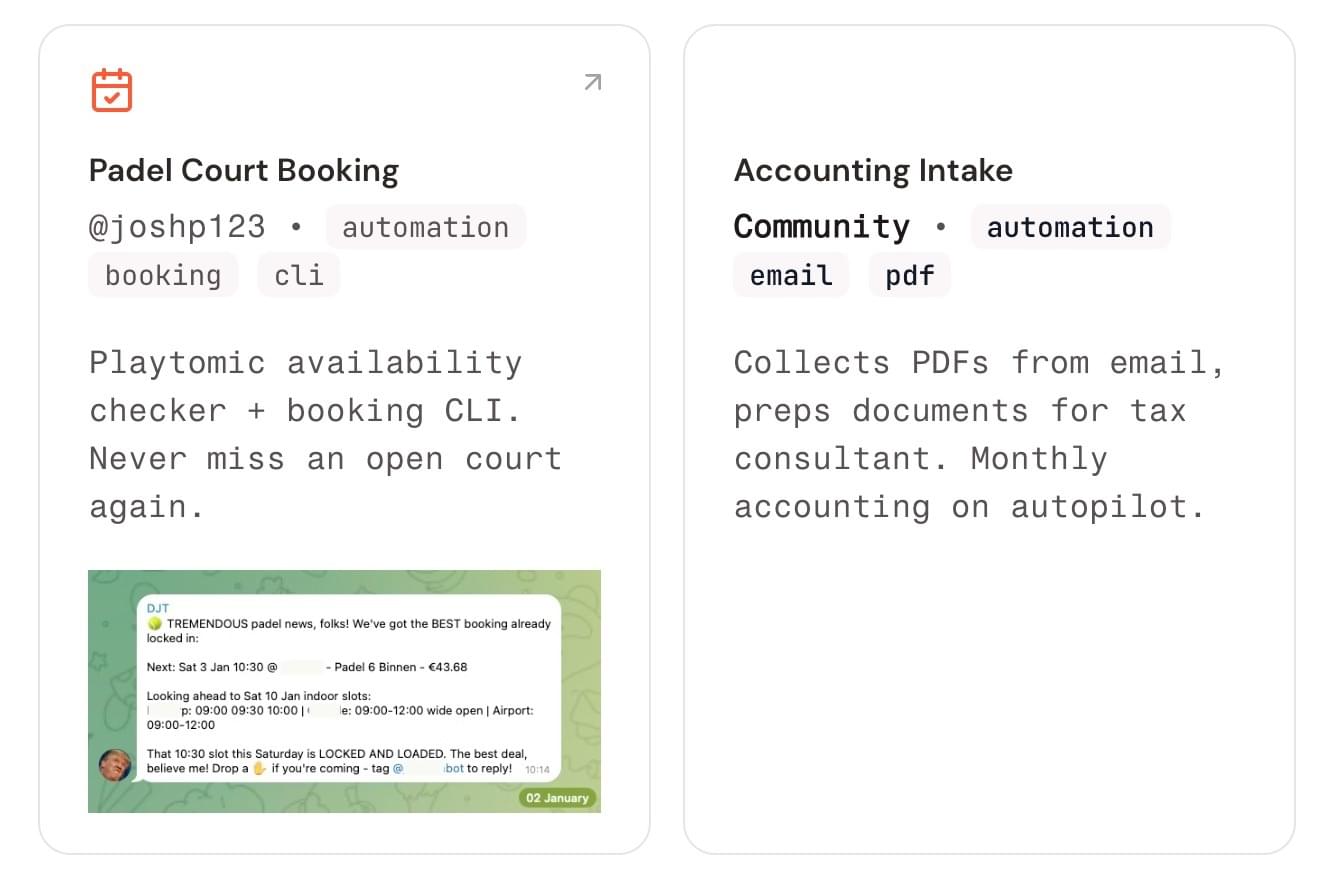
Creators often need to react quickly to certain situations. A refund request, a message from a major partner, or a customer-reported issue may require immediate attention.
OpenClaw can monitor systems and trigger notifications when specific conditions occur.
For example, the AI could send alerts when:
- A high-value customer replies to an email
- Multiple support tickets appear within a short period
- A new partnership inquiry arrives
These notifications can be sent through messaging apps, so creators are informed without needing to constantly check their inbox.
Competitor Monitoring and Market Tracking
Creators rarely have time to systematically track what others in their niche are doing. Yet competitor activity often reveals useful signals about what topics are gaining attention, what formats are working, and where new opportunities may appear.
You can instruct OpenClaw to monitor specific creators, newsletters, blogs, or YouTube channels and collect updates automatically. The AI can scan new content, track themes, and summarize patterns across multiple sources.
For example, the system could review new videos from several creators in your niche and identify emerging topics or formats that are gaining traction. It could also monitor product launches, pricing changes, or audience reactions to new offers.
Instead of manually browsing multiple platforms, you receive periodic summaries highlighting what is changing in your space.
Content Repurposing Automation
A YouTube video becomes a newsletter, a thread, several short clips, and social media posts. Repurposing content is a great way to make the most out of one piece of content, and reach a larger audience. But of course, it can take time!
OpenClaw can automate much of this process.
You could set an automation where, for each new piece of content published, OpenClaw analyzes it and transforms it into a different format. For example, whenever you publish a new blog post, OpenClaw could turn it into a transcript ready for YouTube, or short-form clips, and so on.
The AI does not need to publish these automatically. Instead, it can send drafts to your messaging app or workspace for review. This helps creators move faster while still maintaining full control over what gets published.
Community Monitoring and Insights
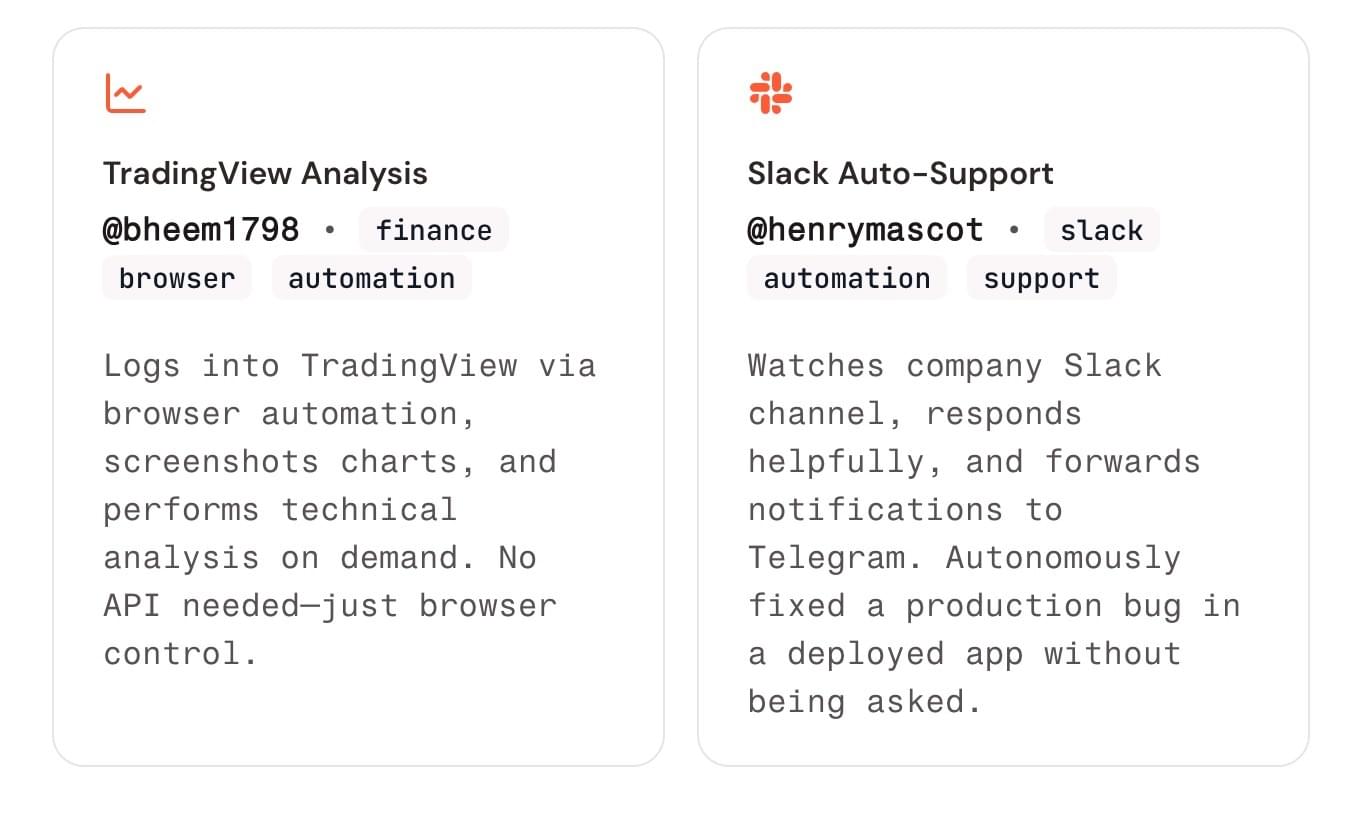
Creators who run communities often struggle to keep up with discussions. Valuable feedback and ideas from members can easily get buried in long threads.
OpenClaw can monitor conversations in community platforms and summarize the most important themes.
For example, the AI might detect common questions that appear repeatedly in discussions. It could highlight posts that generate strong engagement or identify members who frequently help others.
These insights help creators understand what their audience is thinking and where new content, lessons, or resources might be needed.
Did you know? Heights AI does this already! No need to install complex and risky software, check out how Heights AI helps creators grow their community.
Connecting Other AI Tools
OpenClaw can also act as a control system for other AI tools.
For example, it can send prompts to models that generate images (Nano Banana), videos (Veo), or other creative assets. A creator could request thumbnail ideas or visual concepts directly.
Because OpenClaw connects to messaging platforms, these requests can happen through simple chat conversations. The AI receives the request, sends instructions to another model, and stores the results in a workspace.
Knowledge Base for Your Own Content
Creators who publish consistently build a large library of content over time. Blog posts, videos, podcast episodes, newsletters, and course lessons accumulate quickly.
And then sometimes you think to yourself: "Did I already post a blog post about this? What was the name of that podcast episode I recorded 3 years ago about branding?"
OpenClaw can index all of this material and make it searchable through AI.
When you ask a question, the AI searches your existing content and retrieves relevant references.
For example, you might ask: “Have I already created content about building online communities?”
The AI can retrieve videos, articles, or lessons where you discussed that topic. This prevents creators from repeating the same content and helps them build on previous work more effectively.
Building Custom Workflows for a Creator Business
Perhaps the most powerful aspect of OpenClaw is flexibility. Creators can design workflows that match their specific process rather than relying on generic automation tools.
One creator might build agents that monitor audience questions and suggest new video topics. Another might use OpenClaw to track student activity and improve course engagement.
Because the system can connect to many tools and run scheduled tasks, it becomes possible to build operational systems that run quietly in the background.
The result is a business that requires less manual oversight while still providing clear insights into what is happening.
Get AI Business Coaching Without The Security Concerns: Heights AI Coach
OpenClaw can be powerful, but it also requires technical setup. You need to install it on a server, connect APIs, configure agents, and carefully define permissions. Not to mention the security concerns that many creators are facing.
One of the favorite use cases of AI and OpenClaw for creators is employing AI agents to gather information about key analytics in the business and draw conclusions on how to grow and improve sales.
But what if you want the same outcome, without the security concerns and the difficult setup?
At Heights Platform, we created an AI that does just that, called Heights AI Coach!
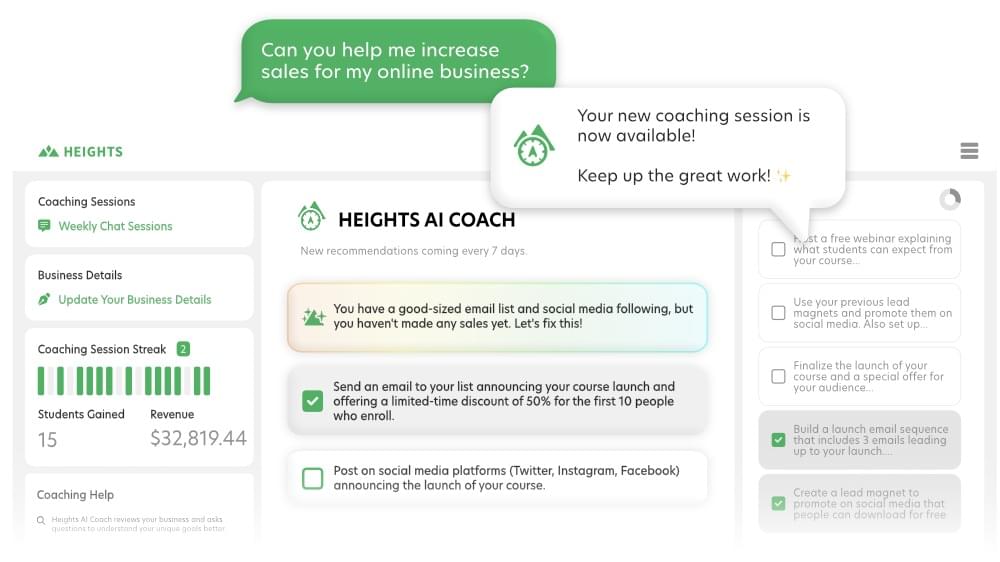
Heights AI Coach is designed to bring the benefits of an AI assistant into a much simpler environment. Instead of connecting tools and designing agents yourself, the system lives directly inside your Heights Platform account (where you sell digital products, online courses, and where you host your community and website) and focuses on helping you grow your course business.
When you first access the AI Coach, it starts with a short conversation to understand your goals, challenges, and current situation. You can explain what you are trying to achieve, what is currently working in your business, and where you feel stuck.
Based on this information, the AI creates a personalized growth plan.
Each week, the AI Coach generates specific tasks designed to move your business forward. These tasks might involve improving a sales page, refining a course offer, publishing new content, or adjusting a marketing strategy.
And the best thing is that Heights AI Coach already knows the context of your business, so it can offer highly personalized advice based on your unique situation.
Another important difference is that the AI Coach works proactively. Rather than waiting for you to ask questions, it regularly evaluates your progress and sends new suggestions. As your business evolves, the recommendations adjust to match your current situation.
This creates something closer to a mentoring relationship than a typical AI tool.
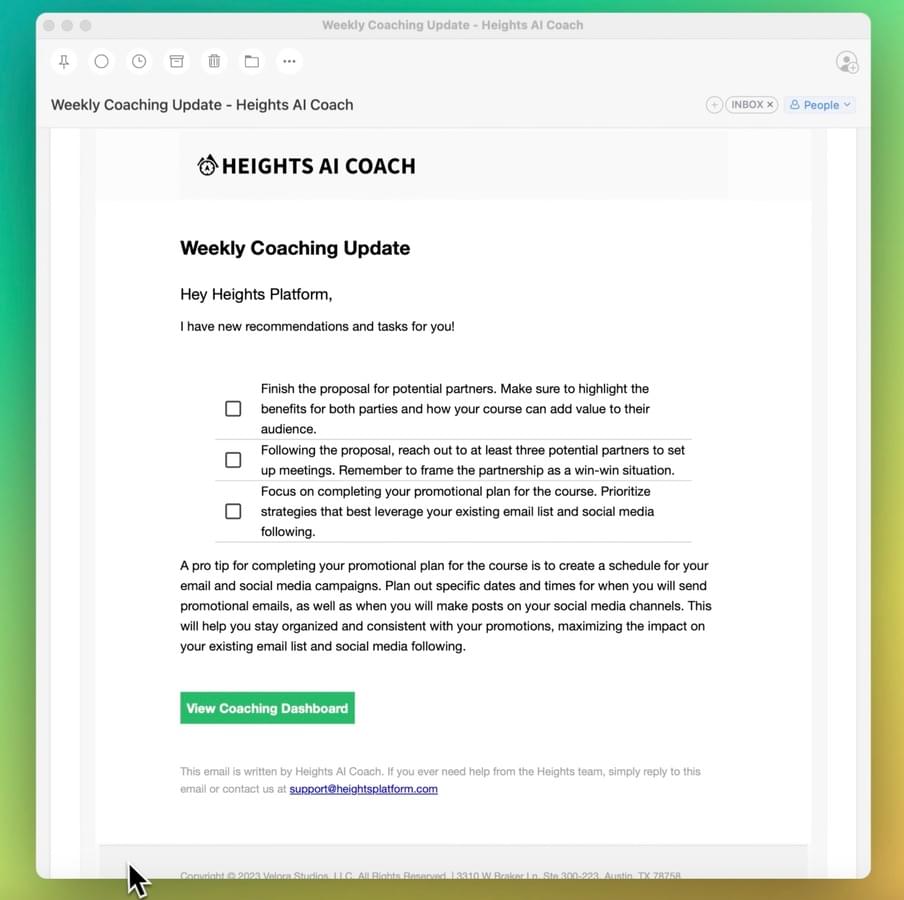
The system is also built specifically for creators. The guidance is based on years of experience helping creators build online course businesses. Many creators are experts in their subject but less familiar with marketing, positioning, or audience growth.
Heights AI Coach helps fill that gap by providing practical steps that make the business side of course creation easier to navigate.
Unlike OpenClaw, you don't have to worry about privacy. Your AI Coach is personal to your account, and your information is not shared with other creators or used to train external AI models.
Try Heights AI Coach by creating your free account (valid for 30 days) - no credit card needed!
Try Heights AI Coach

