Online Course Certificate of Completion: What Should I Include?
5 minute readMany course creators want to offer a certificate of completion to their students. It’s a simple way to recognize progress and give learners something tangible they can share.
But once you decide to offer certificates, a practical question appears: What exactly needs to be on a certificate of completion?
Unlike accredited academic credentials, most online course certificates are not governed by strict legal requirements. However, there are widely accepted elements that make a certificate clear, professional, and credible.
In this article, we’ll break down what certificates of completion are, what information they should include, and how creators can generate and deliver them automatically.
What Are Online Course Certificates of Completion?
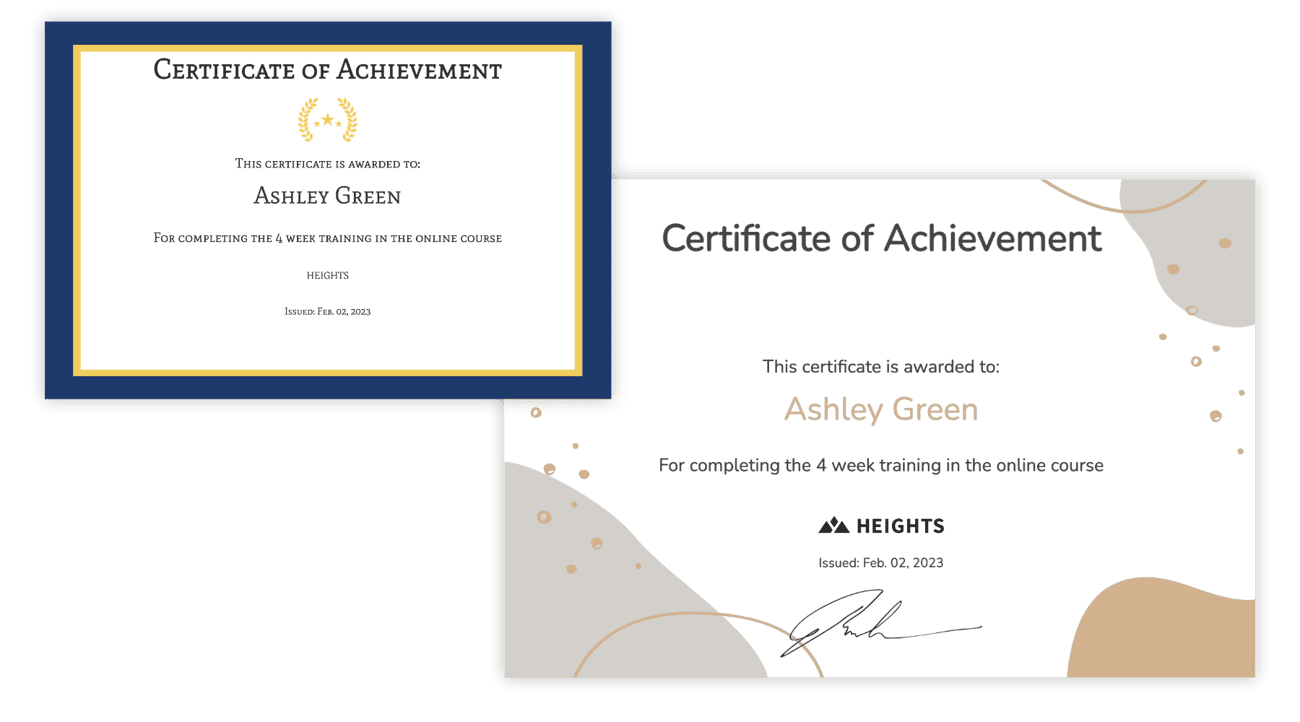 An online course certificate of completion is a document awarded to students after they finish a course or training program. It serves as proof that the learner completed the required lessons, modules, or assessments.
These certificates are typically digital (PDF files) and can be downloaded, printed, or shared online. They help students demonstrate that they invested time learning a specific topic or skill.
For course creators, certificates serve several purposes:
- They reward students for finishing the course.
- They increase completion rates by giving learners a goal.
- They add perceived value to your program.
- They create shareable achievements that promote your course.
It’s important to understand that most online course certificates are non-accredited. This means they acknowledge participation or completion, but they are not issued by an official governing body unless your course has formal accreditation.
Even without accreditation, certificates still provide recognition and motivation for learners.
What Should I Include in My Online Course Certificate of Completion?
There are no universal legal rules for non-accredited certificates. However, professional certificates usually contain a few core elements that confirm who completed the course, what they completed, and who issued the credential.
Below are the key components most online course certificates include.
Certificate title
The certificate should clearly state its purpose. Common examples include:
- Certificate of Completion
- Certificate of Achievement
- Certificate of Participation
This title is usually displayed prominently at the top of the document.
Student’s full name
The learner’s name is the most important part of the certificate. It confirms who completed the course and personalizes the achievement. Most certificates display the student name in a larger font to highlight the accomplishment.
Course title
Your certificate should clearly state the name of the course or program completed. For example: “Advanced Photography Editing.”
This helps anyone reading the certificate understand what skill or subject the learner studied.
Company Logo and Branding
The completion certificate should reflect your own brand style, and include your logo. This increases the perceived value of the certificate and its "authenticity" in the eye of the students.
Completion statement
Most certificates include a short sentence confirming the achievement. For example:
“This certificate is awarded to [Student Name] for successfully completing the course [Course Name].”
This statement validates the accomplishment.
Date of completion
The certificate should include the date the student completed the course. This helps provide context for employers, clients, or institutions reviewing the credential later.
Instructor or organization name
Your certificate should identify the issuing organization or instructor. Typically this includes:
- The creator or instructor's name
- The business or platform name
- The course brand
Signature
Many certificates include a signature from the instructor or organization. It adds authenticity and gives the certificate a more official appearance.
Certificate ID or verification number (optional)
Some creators include a unique certificate ID or verification number. This allows others to verify the certificate and helps prevent duplicates or fraud. It’s optional, but increasingly common for digital certificates.
The real value comes when this ID is backed by a third-party verification system. Instead of relying on a static PDF that can be easily copied or edited, a verified certificate includes a public URL where anyone can confirm its authenticity.
For example, with Heights Platform, every certificate can be linked to a hosted verification page. When someone visits that page, they can see the official certificate issued by Heights, along with the learner’s details and completion information. This adds a layer of trust that a standalone file cannot provide.
Because the certificate is tied to a live record on a trusted platform, it becomes much harder to fake. It shows that the achievement was actually earned and issued through a real system, not just generated as a document.
For learners, this makes their certificate more credible when sharing it with employers or clients. For creators, it increases the perceived value of the course and the legitimacy of the credential.
Optional elements creators sometimes add
Beyond the basics, creators may also include:
- Course duration (example: “10-hour program”)
- Completion score or grade
- Accreditation details
- QR code for verification
These are optional enhancements that can make your certificate look more professional.
How to Make an Online Course Certificate
If you use the right course platform, creating a certificate of completion takes only a few minutes.
With Heights Platform, creators can design certificates directly inside the platform using the built-in certificate designer. Once the certificate template is created, Heights automatically generates and delivers personalized certificates for students.
Here is how the process works.
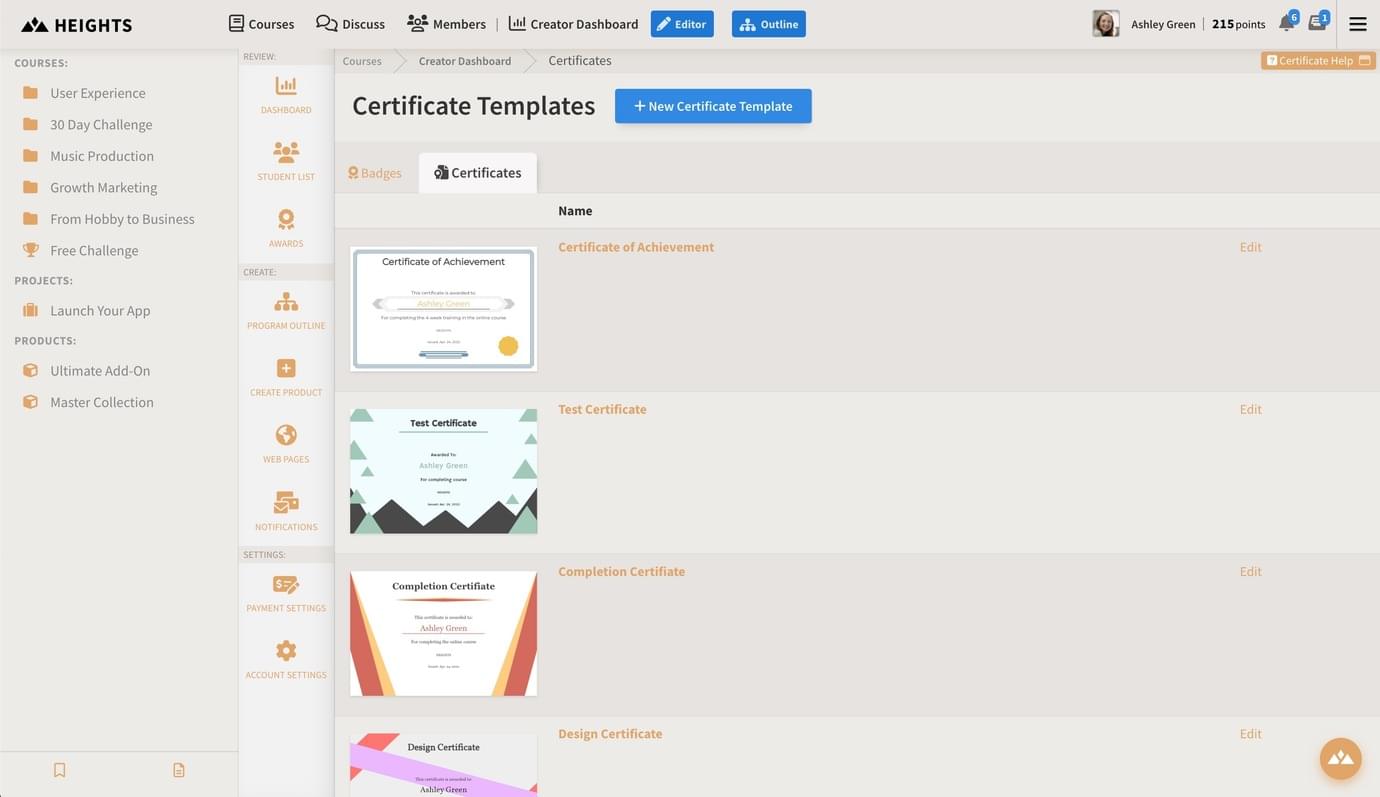
First, go to your creator dashboard and open the Awards section. From there, select the Certificates tab. This page shows all certificate templates you have created. If you are creating your first certificate, the list will be empty.
To create a new one, click “New Certificate Template.”
This opens the certificate designer where you can choose a base design and customize it to match your brand.
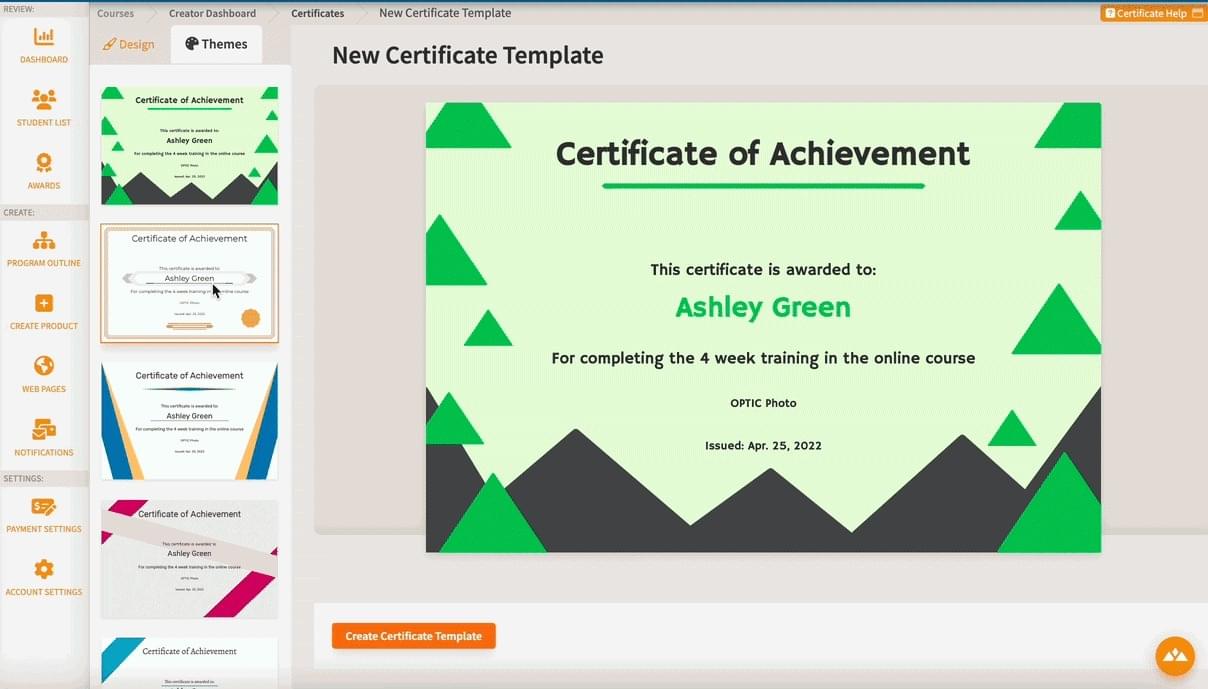
Start by selecting a theme. Heights provides several ready-made certificate templates that you can use as a starting point.
Once you choose a theme, switch to the Design tab to customize the certificate. Here, you can adjust elements such as colors, fonts, and layout to ensure the certificate aligns with your brand identity.
You can also configure how the certificate is issued. By default, certificates are granted manually, allowing you to choose when a specific student should receive one.
However, you can also automate the process by selecting a course or product that triggers the certificate once the student completes it.
After you save your certificate template, Heights will generate personalized certificates for students using it.
And the best part: you only need to create the certificate once. The platform handles the rest.
How to Automatically Deliver Certificates to Students
Manually creating and sending certificates quickly becomes impossible once your course grows. If 100 students complete your program, that’s 100 certificates to generate and send. This is why automation matters.
With Heights Platform, certificates are delivered automatically when a student completes the required course content.
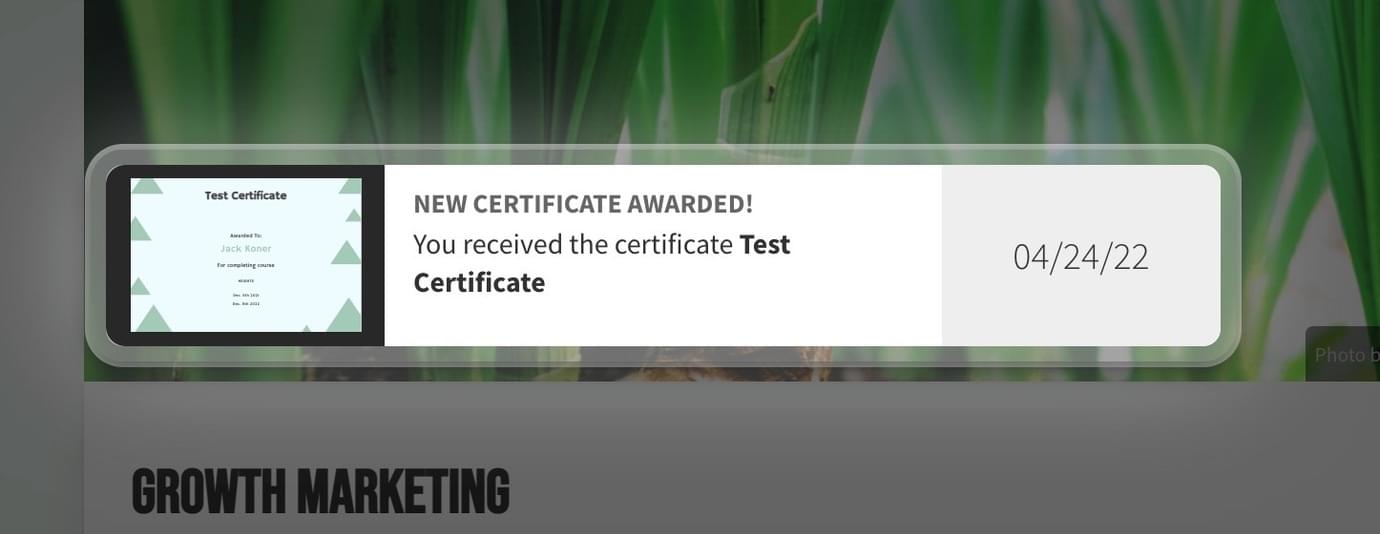
The typical workflow looks like this:
A student completes all lessons or modules in the course. Heights detects that the course requirements are finished. The platform then generates a personalized certificate using your template and makes it available to the student.
Students can download their certificate directly from their course dashboard.
This process removes the need for manual work and ensures every student receives their certificate immediately after completing the course.
For creators running larger programs, automation also guarantees consistency. Every certificate includes the correct student name, course title, and completion date without errors.
Offer Certificates in Your Course with Heights Platform
Certificates of completion are a powerful way to increase engagement and encourage students to finish your course.
But they’re most effective when they’re built directly into your learning platform.
With Heights Platform, creators can design certificate templates, automatically generate personalized certificates, and deliver them to students as soon as they complete a course.
There’s no need to manually edit documents, track student completions, or send certificates one by one. Unlike other solutions that require separate tools (and extra monthly fees) for certificate verification and hosting, everything is included directly inside the platform.
Instead, the entire process runs automatically in the background while students progress through your course.
If you want to reward your students with professional certificates and automate the delivery process, you can set up course completion certificates directly inside Heights Platform! Try if for yourself by creating your free trial account (no credit card needed)!
Create Your Online Course Today

